If you run Meta ads for several clients, you already know the cost of checking every account in Ads Manager and rebuilding the same report each month. This list is for agency owners, freelancers, and in-house teams who manage multiple ad accounts and want one place to see spend, results, and account health. Tools were chosen on multi-client management, depth of Meta data, reporting and white-labeling, setup effort, and how pricing scales as your client count grows. ClientPlug is our own product, and it is listed first with its limits stated alongside its strengths.
Quick Comparison of the Meta Ads Dashboards
- ClientPlug: agencies and freelancers who want ads monitoring and client operations together; pricing on the website; ties ad performance to client payments and client data in one dashboard.
- Supermetrics: analyst-led agencies that want control over their data; pricing on the website; the widest range of destinations for blending cross-channel data.
- AgencyAnalytics: full-service agencies reporting across many channels; pricing on the website; one client report spanning ads, SEO, and social.
- Databox: teams tracking KPI targets internally; pricing on the website; goal tracking with pace alerts.
- Swydo: agencies wanting quick, repeatable client reports; pricing on the website; fast template-based rollout across clients.
- Reporting Ninja: small agencies wanting customizable widget dashboards; pricing on the website; widget-based multi-account views.
- Funnel.io: larger agencies with data teams; quote-based; data cleaning and mapping across many ad platforms.
- Looker Studio: budget-conscious agencies willing to build their own dashboards; free (connectors extra); highly customizable design at no license cost.
- Madgicx: Meta-heavy media buyers focused on optimization; pricing on the website; Meta-specific optimization and automation tooling.
Three Kinds of Tools, and Terms Worth Knowing
These products fall into three groups, and choosing by workflow is easier than comparing feature lists. All-in-one agency platforms (ClientPlug, Madgicx on the Meta side) monitor accounts and do something with the data. Connectors and data pipes (Supermetrics, Funnel.io) move Meta data somewhere else. Report builders (AgencyAnalytics, Databox, Swydo, Reporting Ninja, Looker Studio) present data to you or your clients.
A connector is not a dashboard. It pulls data into a spreadsheet, warehouse, or visualization tool, and you build what you see. Looker Studio is free, but it has no native Meta connector, so you still need a third-party one.
White-label reporting means reports and dashboards carry your agency's logo, colors, and often your domain instead of the vendor's. Business Manager access is how most of these tools reach Meta data: you or your client authorizes the tool against the ad accounts through Meta Business Manager, so check who owns each connection before you onboard. Finally, watch per-client or per-account pricing. It looks cheap at five clients and can balloon at thirty. Pricing below is as of November 2026 and should be confirmed on each vendor's site.
1. ClientPlug
ClientPlug is our own product, so weigh this section accordingly. It is an all-in-one client organizer for agencies and freelancers that puts Meta and Google Ads monitoring, client payment tracking, white-label reports, and AI optimization into a single dashboard.
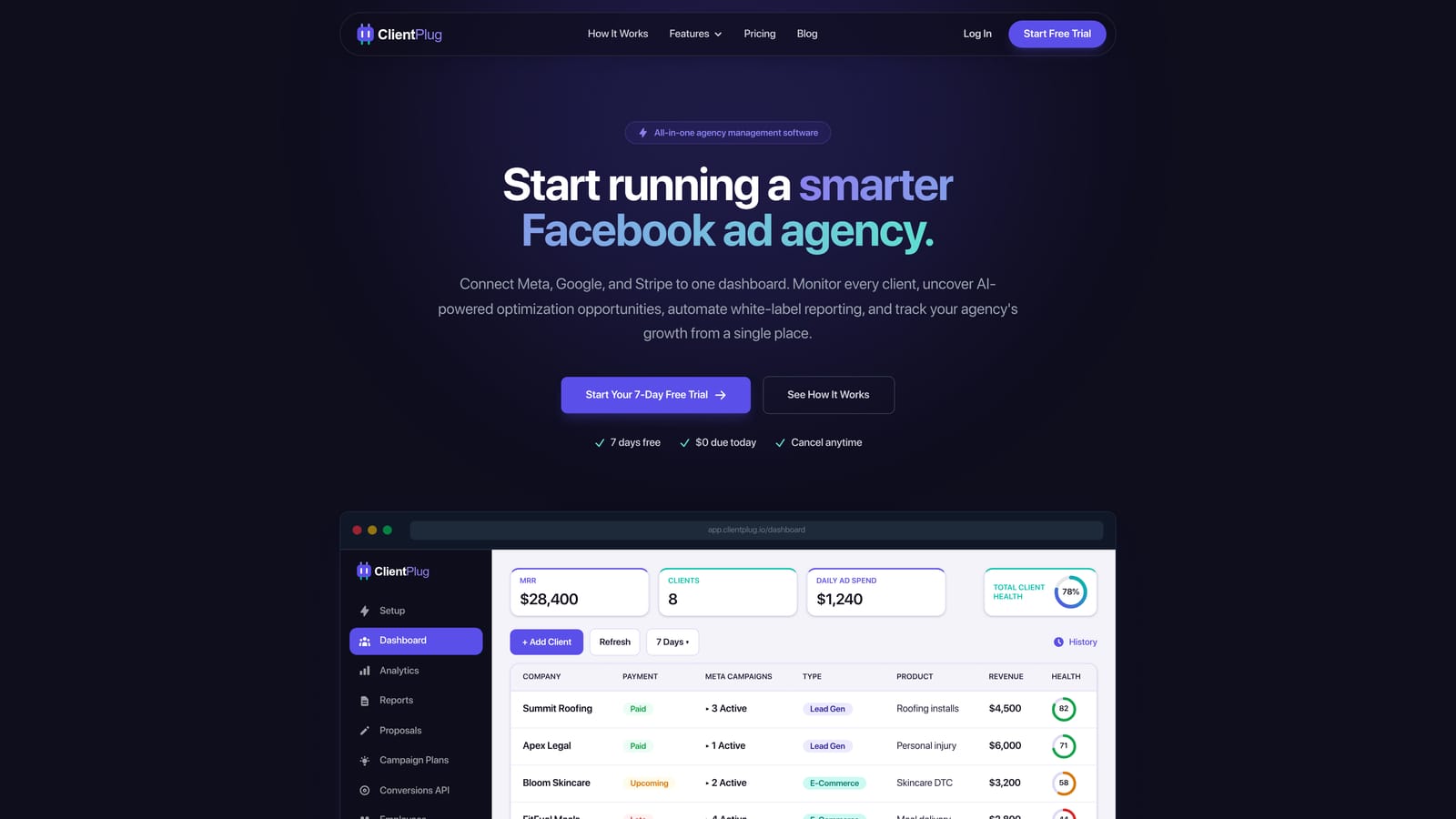
What sets it apart on this list is that ad performance sits next to the business side of each client. Most tools here stop at the ads. ClientPlug syncs campaigns, payments, and client data, so you can see that a client's results are slipping and that their invoice is overdue without opening two systems. That suits owners who currently run ads in one tool, billing in another, and reports in a third.
- One dashboard for all clients, so you stop switching between ad accounts to check on each one.
- Meta and Google Ads performance monitoring, with health visible at the ad, campaign, client, and agency level.
- Automated white-label reports that go to clients without manual assembly.
- Conversion API setup in a few clicks, which removes a technical task many agencies postpone.
- AI campaign optimization to flag and act on underperforming campaigns.
Integrations center on Meta Ads and Google Ads, and the day-to-day user is typically the agency owner, freelancer, or account manager rather than a data analyst. Setup is aimed at being quick, since there is no warehouse or modeling to build.
The limit is scope. ClientPlug is not a general-purpose BI or data-warehouse tool, so if you need heavy custom data modeling or blending of dozens of non-ad sources, pair it with something like Supermetrics or Funnel.io or choose those instead. Pricing is listed on the website; confirm the current plans and how they scale with client count before you commit.
Best for: Agencies and freelancers who want ads monitoring and client operations in one place.
2. Supermetrics
Supermetrics is a data connector, not a dashboard. It pulls Meta Ads data, along with data from more than 100 other sources, into the places where you already analyze it.
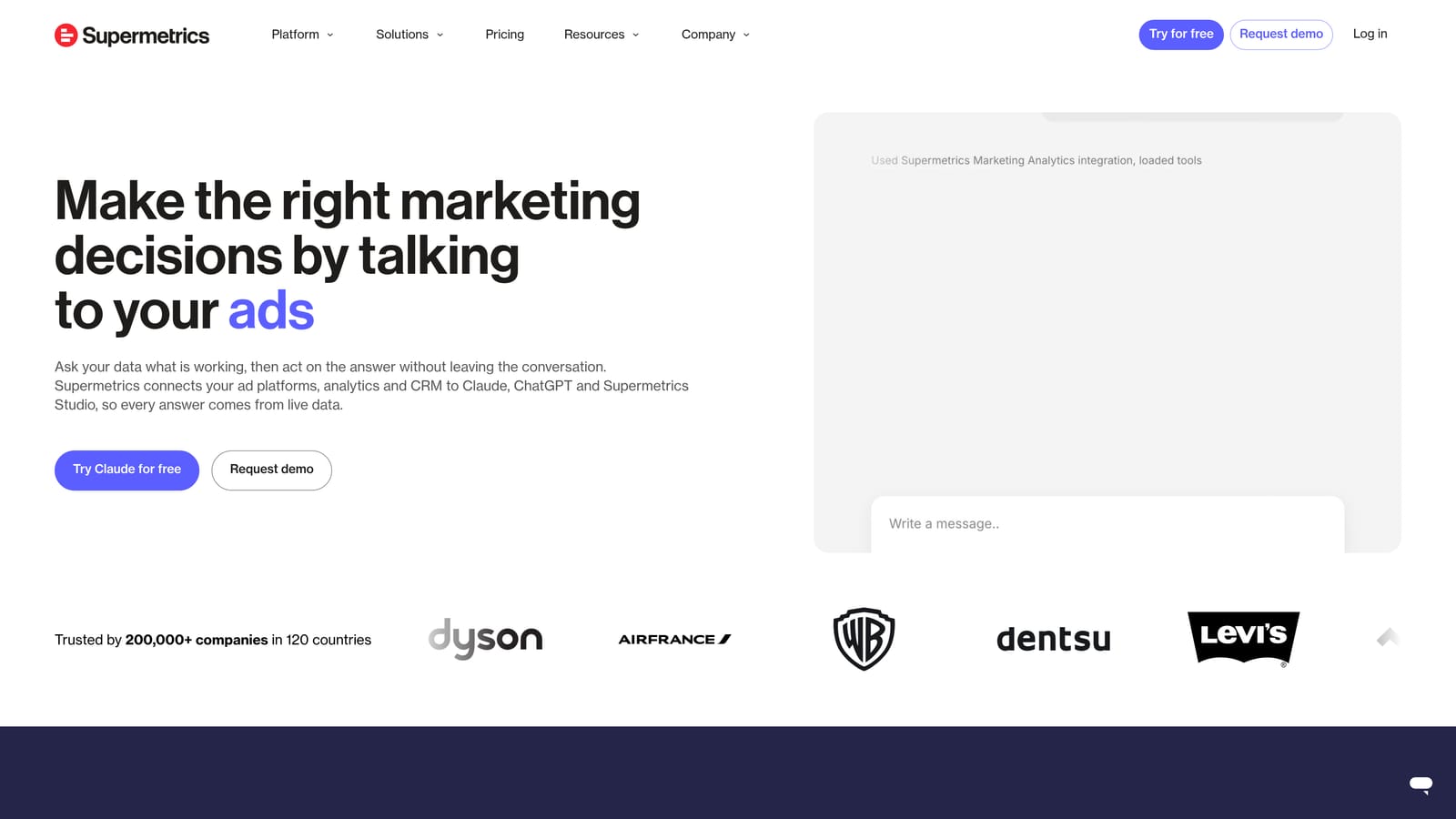
Its strength is the range of destinations. You can send the same Meta data to Google Sheets, Excel, Looker Studio, or a warehouse such as BigQuery, then blend it with Google Ads, analytics, CRM, or revenue data. For an agency with an analyst who wants to define attribution rules or build cross-channel views, that flexibility is hard to match.
- Meta Ads connector that pulls campaign, ad set, and ad-level metrics without manual exports.
- Destinations including Sheets, Excel, Looker Studio, and data warehouses, so you choose where reporting lives.
- Scheduled refreshes that keep reports current without someone pressing a button.
- More than 100 sources, which lets you combine paid, organic, and other data in one model.
Setup takes modest effort for a single report and much more for a full multi-client reporting system. Someone has to build the templates, maintain them when Meta changes fields, and manage access per client. That person is usually an analyst or a technically confident account lead.
The main limitation is that you build and maintain your own dashboards. If nobody on the team enjoys spreadsheets or Looker Studio, you will end up with half-finished reports. Pricing is on the vendor's website and generally depends on the destinations and data sources you use, so costs can rise as you add clients and connections.
Best for: Analyst-led agencies wanting full control over their data.
3. AgencyAnalytics
AgencyAnalytics is a reporting platform built around white-label client dashboards. Its distinguishing move is breadth: a single client report can combine Facebook Ads, Google Ads, Google Analytics, SEO tools, and social data.
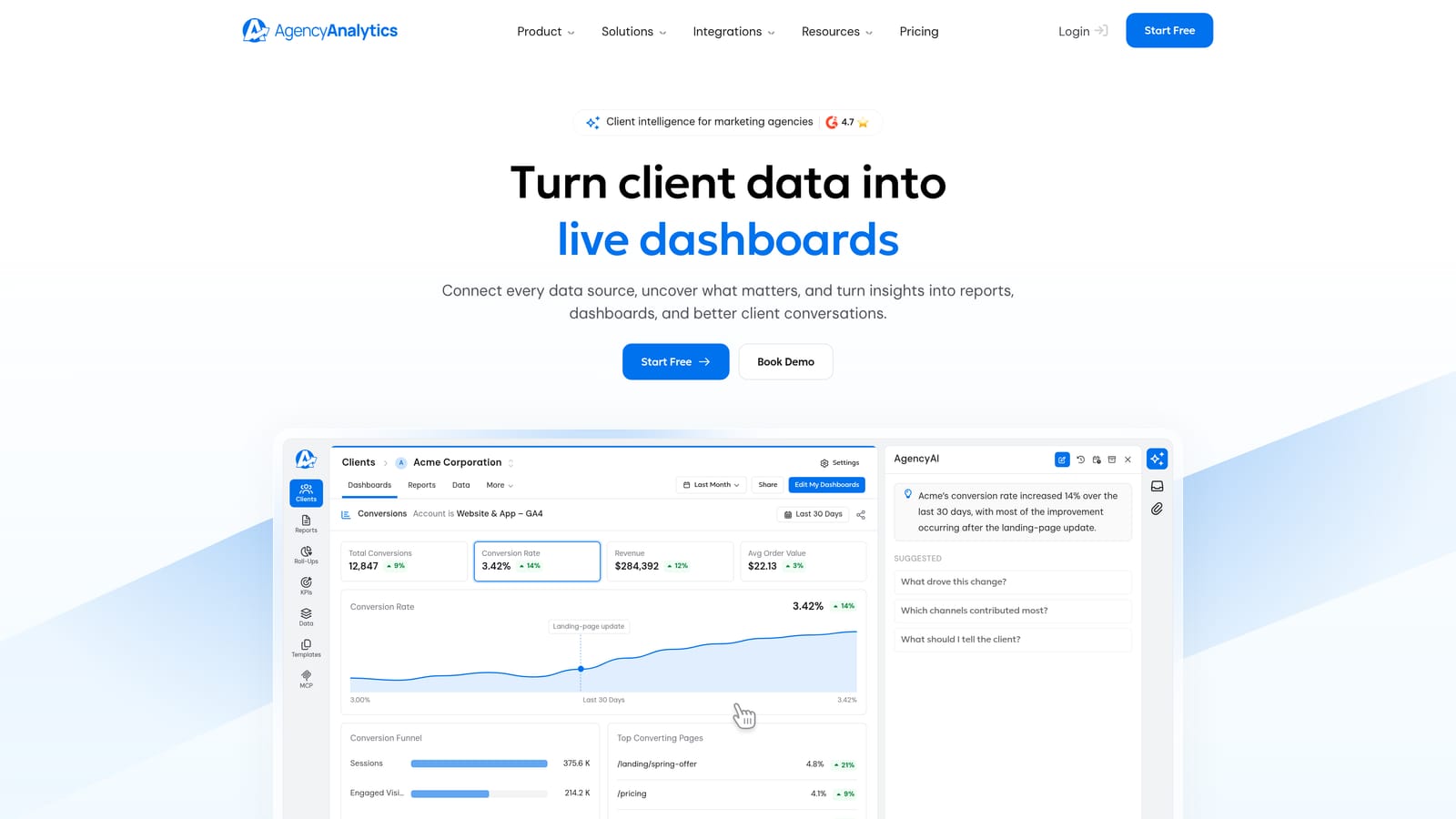
If your agency sells more than paid media, that matters. A client who buys ads, SEO, and social from you gets one login and one report rather than three exports stitched together. The platform includes client logins, so clients can check their own dashboard instead of emailing you for numbers.
- White-label dashboards under your branding, so the client sees your agency, not the vendor.
- Client logins that let stakeholders self-serve and cut down on status requests.
- Scheduled reports that send automatically on your cadence.
- A large integration library covering ads, analytics, and SEO tools.
- Report templates that speed up onboarding each new client.
Setup is mostly connecting each client's accounts and applying a template, which a project manager or account lead can handle without technical help. The trade-off is Meta depth. Because the platform spans so many channels, it offers less Meta-specific analysis and no ad optimization compared with ad-focused platforms. If you only run Meta, you may pay for breadth you never use.
Pricing is listed on the vendor's site, and it has historically scaled with the number of client campaigns or projects, so check how the tiers handle your client count as of November 2026.
Best for: Full-service agencies reporting across many channels.
4. Databox
Databox is a KPI dashboard tool, and it is built more for watching numbers against targets than for producing polished documents. Its standout is goal tracking with alerts that tell you whether a metric is on pace.
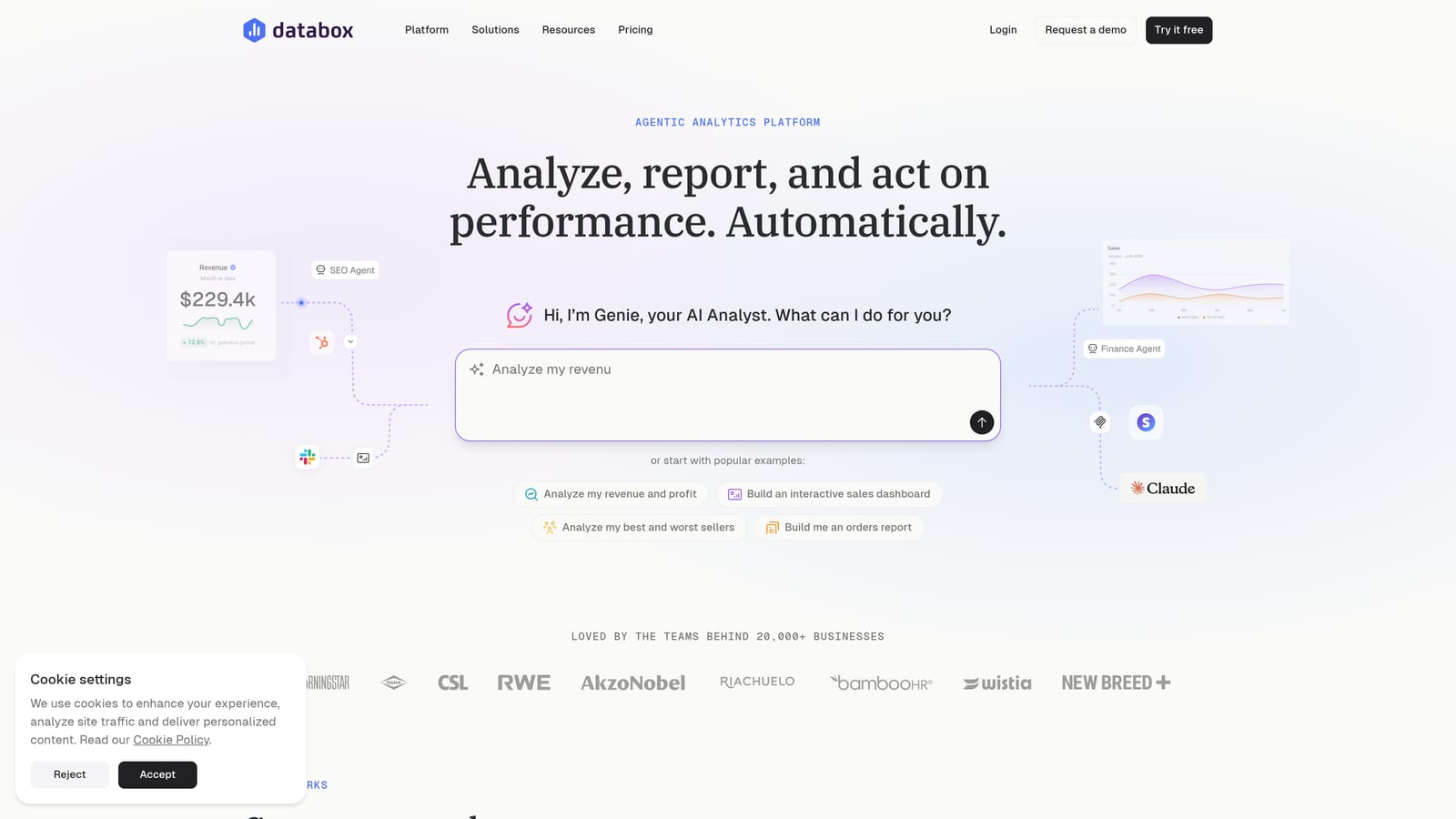
For a media buyer, that means setting a target such as a cost-per-lead ceiling or a monthly spend pace and being notified when a client's account drifts from it. That is a different job from sending a monthly PDF, and it is the reason to pick Databox over a pure report builder.
- Metric dashboards that bring Facebook Ads, Google Ads, HubSpot, and Google Analytics numbers into one view.
- Goal tracking that shows progress against targets, so you see misses before the month ends.
- Alerts that flag metrics moving the wrong way without anyone checking manually.
- A mobile app for checking performance away from your desk.
- Templates that give new dashboards a starting structure.
Setup is light: connect data sources, choose a template, and set goals. Day-to-day use usually falls to account managers or the agency owner. The limitation is that Databox is less suited to narrative, client-ready reports. If your clients expect a branded monthly document with commentary, you may find yourself working around the tool. Pricing is on the vendor's website and tends to depend on the plan tier and the number of data sources or accounts, so verify current limits.
Best for: Teams who track KPI targets internally.
5. Swydo
Swydo is built for agencies that send the same kind of report to many clients. Its core idea is the template: build a report once, then roll it out across accounts with each client's data.
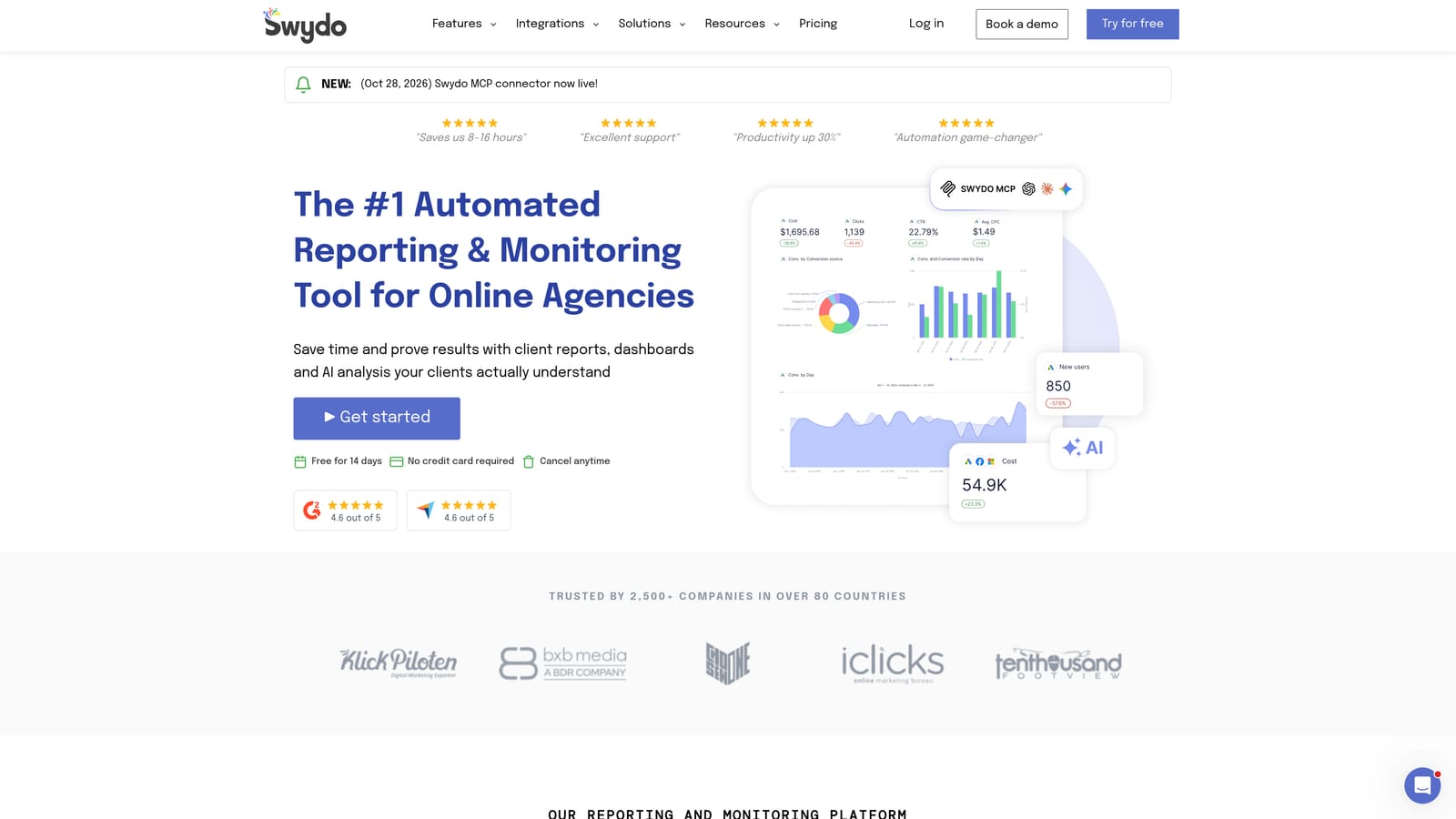
That makes it fast to scale. When you sign a new client, you connect their Facebook Ads and Google Ads accounts, apply your template, and schedule delivery. Reports carry your branding, and the multi-client structure keeps each account organized without much administration.
- Report templates that you reuse across clients, saving the rebuild each month.
- White-labeling so reports and dashboards appear under your agency's name.
- Scheduled delivery that sends reports automatically to clients.
- Dashboards for a live view between reports.
- Multi-client management that keeps accounts grouped and consistent.
Integrations cover Facebook Ads, Google Ads, and Google Analytics, among others. A non-technical account manager can run it. The limit is flexibility: visual customization is less open than a tool like Looker Studio, so agencies with strong design opinions may feel boxed in. It also reports rather than optimizes, so you will not get campaign recommendations. Pricing is on the vendor's site; confirm how it scales with the number of clients or data sources, as that is where costs shift.
Best for: Agencies wanting quick, repeatable client reports.
6. Reporting Ninja
Reporting Ninja is a reporting and dashboard platform with a Facebook Ads integration and white-label options, organized around customizable widgets. You assemble a dashboard from widgets, and you can view multiple accounts together.
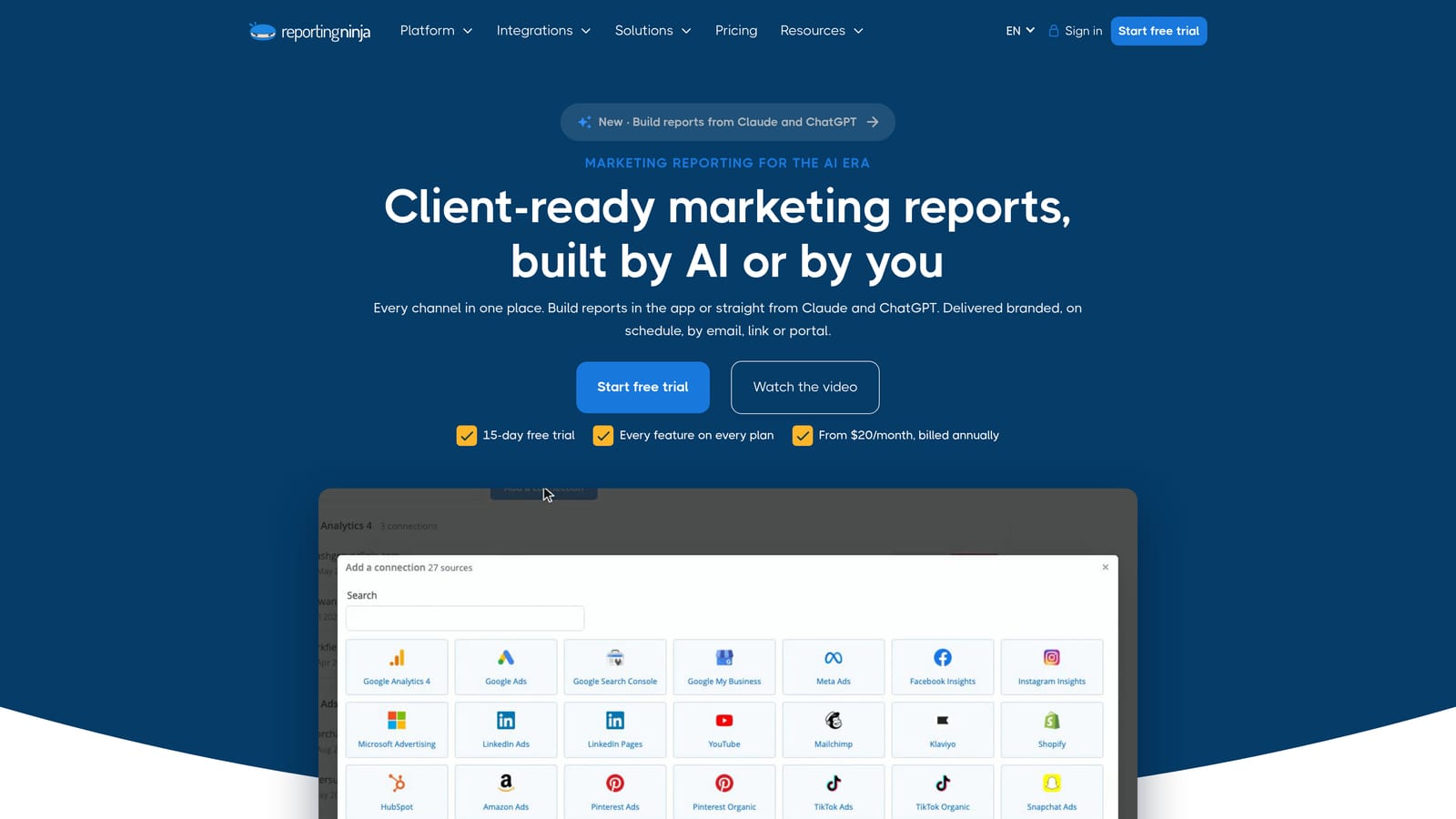
That widget approach gives you more control over layout than a fixed template, without the full build effort of a Looker Studio setup. For a small agency that wants dashboards shaped to each client's priorities, it sits in a useful middle ground.
- Customizable widgets, so each dashboard shows the metrics a client cares about.
- White-label reports under your own branding.
- Multi-account views that let you compare or review several accounts together.
- Scheduled reports that deliver on a regular cadence without manual sends.
It connects to Facebook Ads, Google Ads, and Google Analytics. Setup is straightforward, and a small team can run it without a dedicated analyst. The limitation is ecosystem size: it is smaller than the larger rivals, so you may find fewer integrations, fewer templates, and less community knowledge to lean on. If you expect to add many non-ad data sources later, check the connector list first. Pricing is listed on the vendor's website; as of November 2026, verify current plans and how they scale with accounts or clients.
Best for: Small agencies wanting customizable widget dashboards.
7. Funnel.io
Funnel.io is a marketing data hub. It collects data from ad platforms, cleans and standardizes it, then sends it to BI tools and warehouses. It is infrastructure for reporting, not a client-facing dashboard.
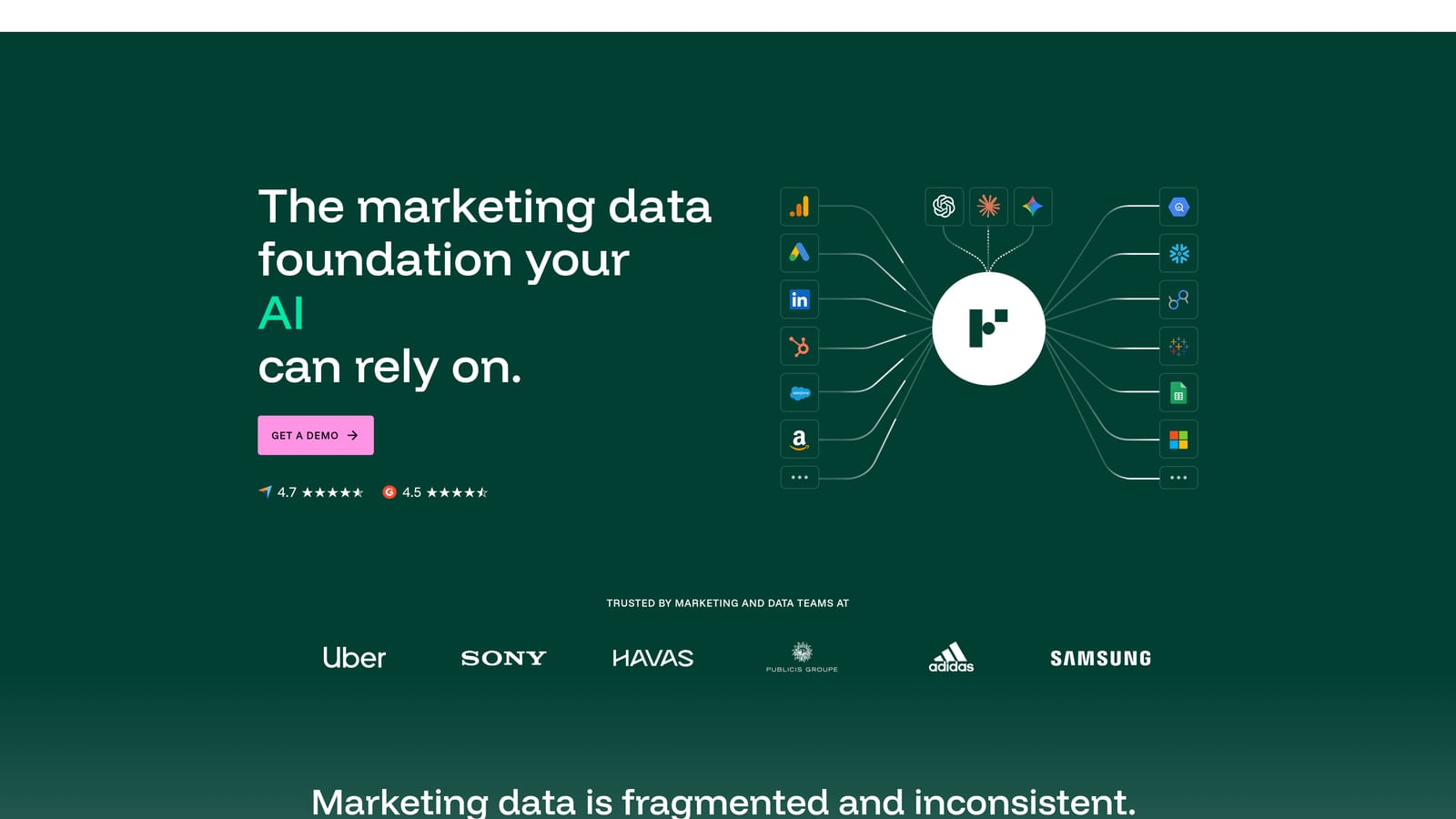
The distinguishing work is transformation. If your clients run Meta, Google, TikTok, and LinkedIn campaigns with inconsistent naming, Funnel.io lets you map fields and apply naming rules so "campaign" and "spend" mean the same thing everywhere. That consistency is what makes cross-platform reporting trustworthy at scale.
What it handles
- Data collection from many ad platforms without manual exports.
- Mapping and transformation that unify metrics and dimensions across channels.
- Naming rules that clean up messy campaign structures.
- Exports to BigQuery, Looker Studio, Google Sheets, and Snowflake.
Who it fits
Running it well requires someone who understands data pipelines, usually a data analyst or engineer. For a small agency with a handful of Meta clients, it is overkill and costly. Pricing is quote-based, so you will need to talk to the vendor, and the cost typically reflects data volume and the sources you connect. Think of it as a foundation for a larger agency that already has BI tools and a data team and needs a reliable feed into them.
Best for: Larger agencies with data teams.
8. Looker Studio
Looker Studio is Google's free dashboard builder. It is the cheapest way to get a custom Meta dashboard, with one important catch: it has no native Meta connector, so you need a third-party connector such as Supermetrics.
The payoff is design freedom. You can build almost any layout, add custom visualizations, use the template gallery to get started, and share a dashboard with a link. For agencies that want full control over how reports look and have someone willing to build them, nothing at this price is as flexible.
- A free dashboard builder, so the license cost is zero.
- Custom visualizations that let you shape reports to each client.
- Shareable links that give clients live access without extra accounts.
- A template gallery that shortens the first build.
Native connections work well for Google Ads and Google Analytics, and Meta comes through third-party connectors, whose fees are separate. Setup effort is real: you design, test, and maintain every dashboard, and someone must handle access for each client. There is no built-in white-labeling, so the branding is whatever you design into the report, and dashboards can slow down when you blend large datasets. Pricing is free as of November 2026, with connectors extra, so budget for those.
Best for: Budget-conscious agencies willing to build their own dashboards.
9. Madgicx
Madgicx is a Meta-focused analytics and optimization platform with AI-assisted tools. Unlike most tools above, it is aimed at improving campaign performance, not mainly at reporting.
Its focus is narrow on purpose. It offers Meta analytics dashboards alongside automation rules and audience tools, so a media buyer can spot a weak ad set and act on it from the same place. If your agency's value is in the buying and optimizing, that depth on Meta is the reason to consider it.
- Meta analytics dashboards that show performance in a Meta-specific way.
- AI-assisted optimization that suggests or supports changes to campaigns.
- Automation rules that handle routine adjustments, such as pausing poor performers.
- Audience tools for building and refining targeting.
It integrates with Meta Ads and Google Analytics, and the day-to-day user is a media buyer or performance marketer rather than an account manager. The limitation is breadth. It is narrower for multi-channel reporting and client management, so you will likely need a separate reporting tool, and it does not handle client payments or the operational side of an agency. Pricing is on the vendor's website; check how cost changes with ad spend or account count as of November 2026, since that is the usual driver for tools in this category.
Best for: Meta-heavy media buyers focused on optimization.
Matching a Dashboard to How Your Agency Works
The right pick depends on what you need the tool to do, not on which has the longest feature list. Here is how the options map to common situations:
- All-in-one agency operations: ClientPlug, if you want ad monitoring, white-label reports, and client payments in one dashboard rather than three tools.
- Data-heavy analyst teams: Supermetrics for flexible pipes into your own models, or Funnel.io when you have a data team and many platforms to standardize.
- Report-first white-label needs: AgencyAnalytics for multi-channel clients, or Swydo for fast, repeatable templates.
- Free DIY dashboards: Looker Studio with a Meta connector, if someone on your team will build and maintain them.
- Meta-only optimization: Madgicx for media buyers who want to act on the data, paired with a reporting tool.
Before you commit, trial two tools on real client accounts. Connect a live Meta account, build or generate a report, and see how long it takes and what the client would see. Check how the price changes at your current client count and at double it.
If one dashboard for ads, payments, and white-label reporting sounds like your workflow, Learn more about our services.