Managing a digital marketing agency means juggling ad accounts, client payments, campaign performance, and reporting, often across a dozen different tabs. An all-in-one agency dashboard brings everything into a single view so you can stop context-switching and start scaling. Whether you're a solo freelancer handling five clients or an agency owner managing fifty, the right dashboard can be the difference between a chaotic workday and a streamlined operation.
In this guide, we've evaluated nine of the best all-in-one agency dashboards available in 2026, comparing their core features, ideal use cases, and pricing. We looked at tools that genuinely consolidate client management, ad performance tracking, reporting, and billing, not just platforms that slap a few integrations together and call it a dashboard. If you're tired of piecing together your workflow from five separate tools, one of these platforms is likely your answer.
For more on managing client complexity, check out our guide on how to manage multiple agency clients and our breakdown of the best client management tools for digital agencies.
1. ClientPlug.io
Best for: Paid media agencies and freelancers managing Meta and Google Ads clients
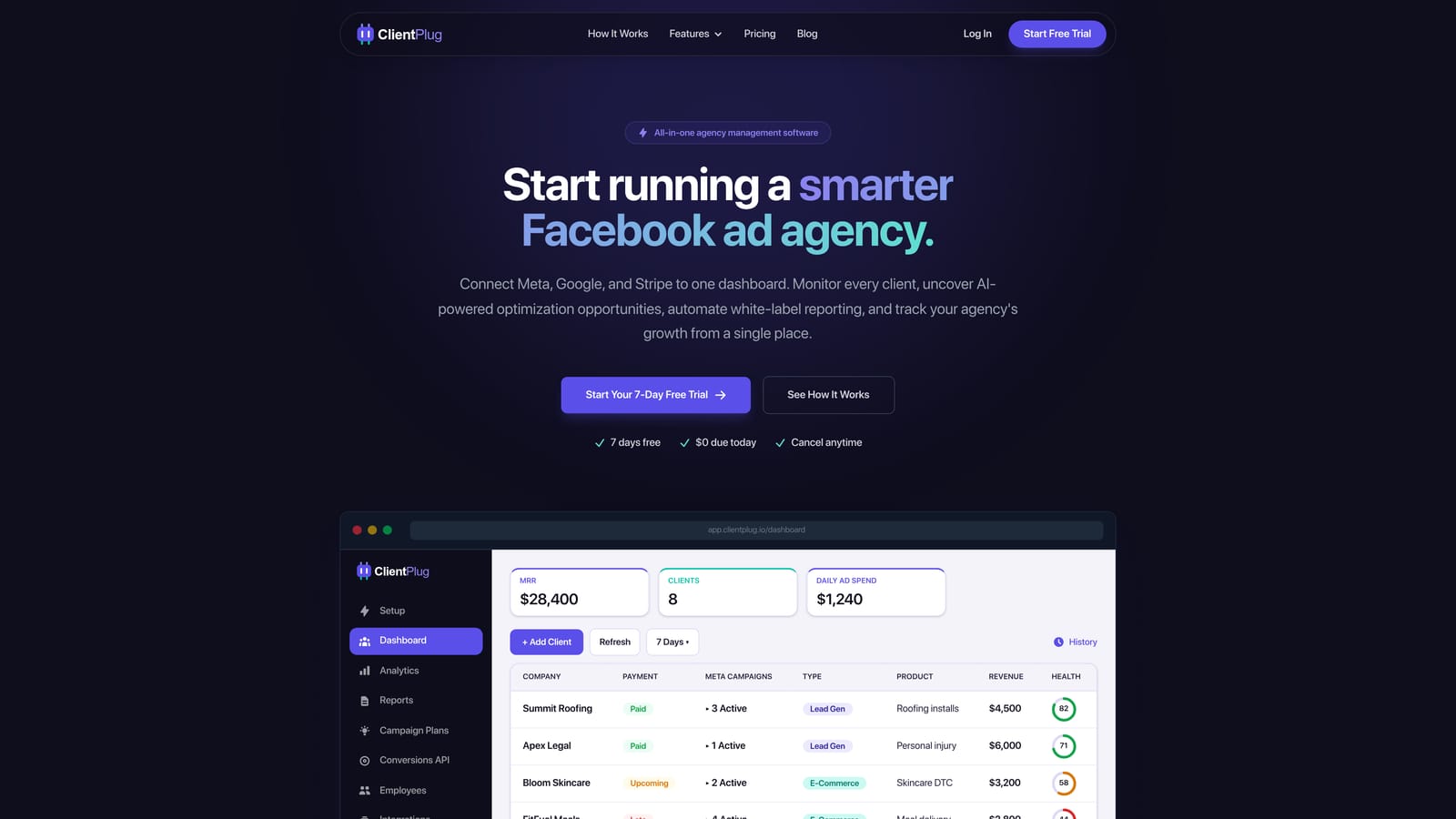
ClientPlug.io is an all-in-one client organizer built specifically for digital marketing agencies and freelancers running Meta and Google Ads campaigns.
Where This Tool Shines
Most agency dashboards are built for general business use and then retrofitted for marketing. ClientPlug takes the opposite approach: it's designed from the ground up for paid media agencies. That specificity shows in features like one-click Conversion API setup, which removes the developer dependency that trips up most small agencies, and per-client payment tracking that flags overdue accounts before they become a cash flow problem.
The single dashboard view is genuinely unified. Instead of toggling between Meta Business Suite, Google Ads, your invoicing tool, and a reporting platform, ClientPlug auto-syncs all of that data and surfaces it in one place. For agencies where every hour counts, that consolidation has real operational value.
Key Features
Meta and Google Ads Sync: Auto-pulls campaign and ad performance data per client so you always have a live view of what's running and how it's performing.
Payment Tracking: Monitors client payment status and flags overdue accounts directly inside the dashboard, keeping billing visible alongside performance.
White-Label Reporting: Sends automated, branded reports to clients on a schedule, removing the manual effort of building and delivering reports each month.
Conversion API Setup: Enables one-click Conversion API configuration without requiring developer involvement, a significant time-saver for agencies managing server-side tracking.
Unified Client Dashboard: Provides a single view across all clients, campaigns, and ad health indicators so nothing falls through the cracks.
Best For
ClientPlug is the strongest fit for freelancers and agency owners whose core service is paid media on Meta and Google. If ad performance, client billing, and reporting are your three daily priorities, this tool is built around exactly that workflow. It's less suited to agencies that primarily deliver SEO, content, or web development services.
Pricing
Visit clientplug.io for current pricing details and available free trial options, as plans are updated regularly.
2. AgencyAnalytics
Best for: Multi-channel agencies that need white-label client reporting at scale
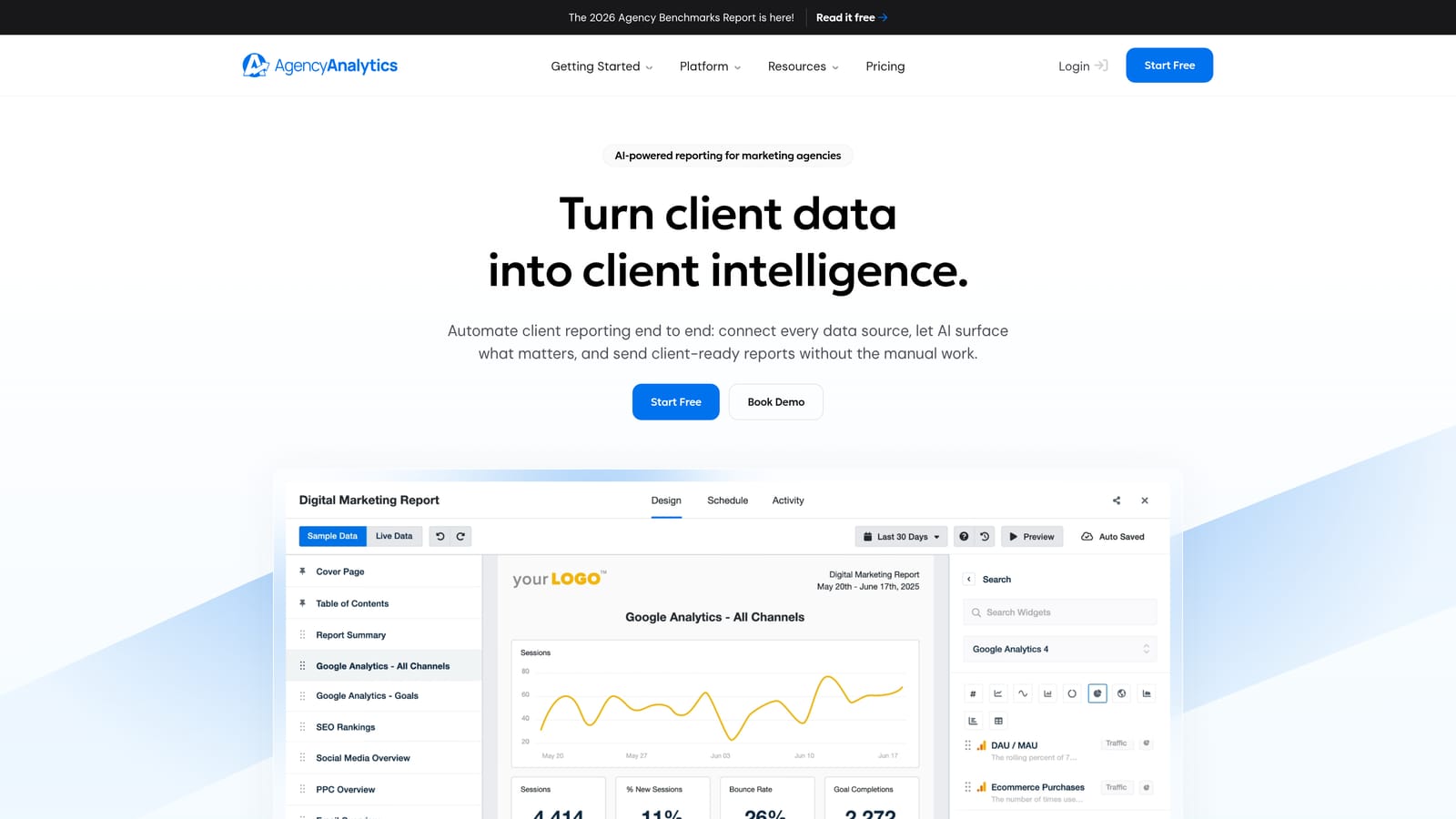
AgencyAnalytics is a dedicated agency reporting platform with over 70 integrations and fully white-labeled client dashboards.
Where This Tool Shines
AgencyAnalytics has built its reputation on making client reporting look effortless. The white-label client dashboards are polished and customizable, and the automated report scheduling means your clients receive consistent updates without you lifting a finger each month. If reporting quality is a competitive differentiator for your agency, this platform delivers.
The breadth of integrations is also a genuine strength. SEO, PPC, social, and email data can all flow into a single client view, which is valuable for full-service agencies managing multiple channels per client. The per-client pricing model scales predictably as your roster grows.
Key Features
White-Label Dashboards: Fully branded client-facing dashboards that display your agency's logo and colors, not AgencyAnalytics branding.
Automated Report Scheduling: Set reports to deliver automatically on a daily, weekly, or monthly cadence without manual intervention.
70+ Integrations: Connects to major marketing platforms including Google Ads, Meta Ads, Google Analytics, SEMrush, Mailchimp, and many more.
Multi-Channel View: Combines SEO, PPC, social, and email performance data into a single client dashboard for a complete picture.
Client Portal: Gives clients self-serve access to their own reporting dashboard, reducing the volume of inbound status requests.
Best For
AgencyAnalytics works well for established agencies managing a large number of clients across multiple marketing channels. It's particularly strong for agencies where reporting is a formal deliverable and client transparency is a key part of the value proposition.
Pricing
Plans start at approximately $12 per client campaign per month, with higher tiers available for larger agencies needing additional features or users.
3. HubSpot CRM
Best for: Agencies managing complex client relationships, pipelines, and inbound marketing
HubSpot CRM is a comprehensive customer relationship management and marketing platform widely used by agencies to manage client pipelines, contacts, and full lifecycle communication.
Where This Tool Shines
HubSpot is not built exclusively for agencies, but its depth makes it genuinely useful for teams that need to manage both their own new business pipeline and their clients' marketing activities. The CRM is intuitive, the deal pipeline is flexible, and the marketing automation tools are among the most capable in the market.
The free tier is one of the most generous available anywhere in SaaS. Smaller agencies can run meaningful operations on the free plan before needing to upgrade. For agencies that have grown past the basics, the paid hubs add marketing automation, sales tooling, and service features that cover the full client lifecycle.
Key Features
Deal Pipeline and CRM: Tracks every client relationship through a customizable pipeline with contact management, deal stages, and activity logging.
Marketing Automation: Builds email workflows, nurture sequences, and campaign automation without requiring a separate tool.
Sales and Service Hubs: Extends the platform into full client lifecycle management, from initial outreach through ongoing service delivery.
Reporting Dashboards: Provides built-in reporting across marketing, sales, and service activity with customizable views.
Generous Free Tier: Offers substantial CRM and marketing functionality at no cost, making it accessible for freelancers and early-stage agencies.
Best For
HubSpot is best suited for agencies that also manage their own growth actively, running inbound marketing, nurturing prospects, and tracking new business deals alongside client delivery. It's less specialized for paid media monitoring or ad-specific reporting.
Pricing
The core CRM is free. Paid hubs start at approximately $15 per seat per month, with costs increasing significantly for advanced marketing and sales automation features.
4. Databox
Best for: Agencies that need real-time KPI dashboards pulled from multiple data sources
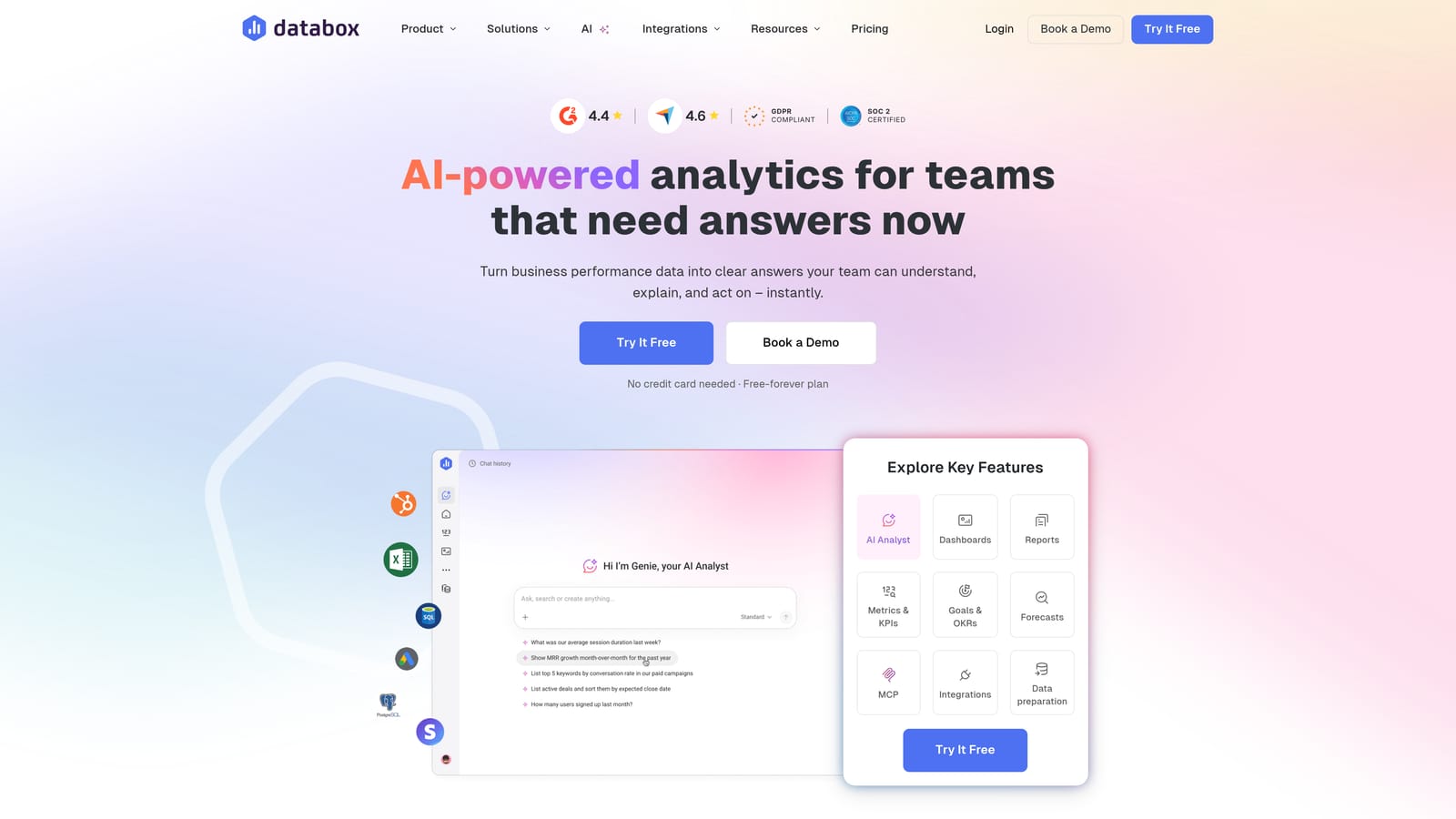
Databox is a KPI dashboard and performance tracking platform that lets agencies build real-time visual dashboards by connecting data from a wide range of marketing and business tools.
Where This Tool Shines
Databox excels at turning scattered data into clean, visual dashboards that are easy to interpret at a glance. The drag-and-drop builder makes it accessible without technical expertise, and the range of native integrations means most agencies can connect their existing tools without custom development.
One standout capability is the industry benchmarking feature. Agencies can compare a client's performance metrics against aggregated industry data, which adds a layer of context that purely internal reporting often lacks. This is particularly useful when presenting results to clients who want to know how they stack up against competitors.
Key Features
Drag-and-Drop Dashboard Builder: Creates custom visual dashboards without coding, pulling data from 70+ native integrations into a single view.
Goal Tracking and Alerts: Sets performance targets and triggers notifications when metrics move above or below defined thresholds.
Industry Benchmarking: Compares client metrics against anonymized industry data to provide competitive context in reporting.
Automated Scorecards: Delivers scheduled performance summaries to clients or internal team members on a recurring basis.
Mobile App: Provides dashboard access on mobile devices so agency owners can monitor performance without being tied to a desktop.
Best For
Databox is a strong choice for data-driven agencies that want flexible, visual dashboards and value the ability to benchmark client performance. It works well as a reporting layer on top of existing tools rather than as a full agency management platform.
Pricing
A free plan is available with limited features. Paid plans start at approximately $47 per month, with pricing scaling based on the number of data sources and users.
5. Monday.com
Best for: Agencies needing flexible project and workflow management across client engagements
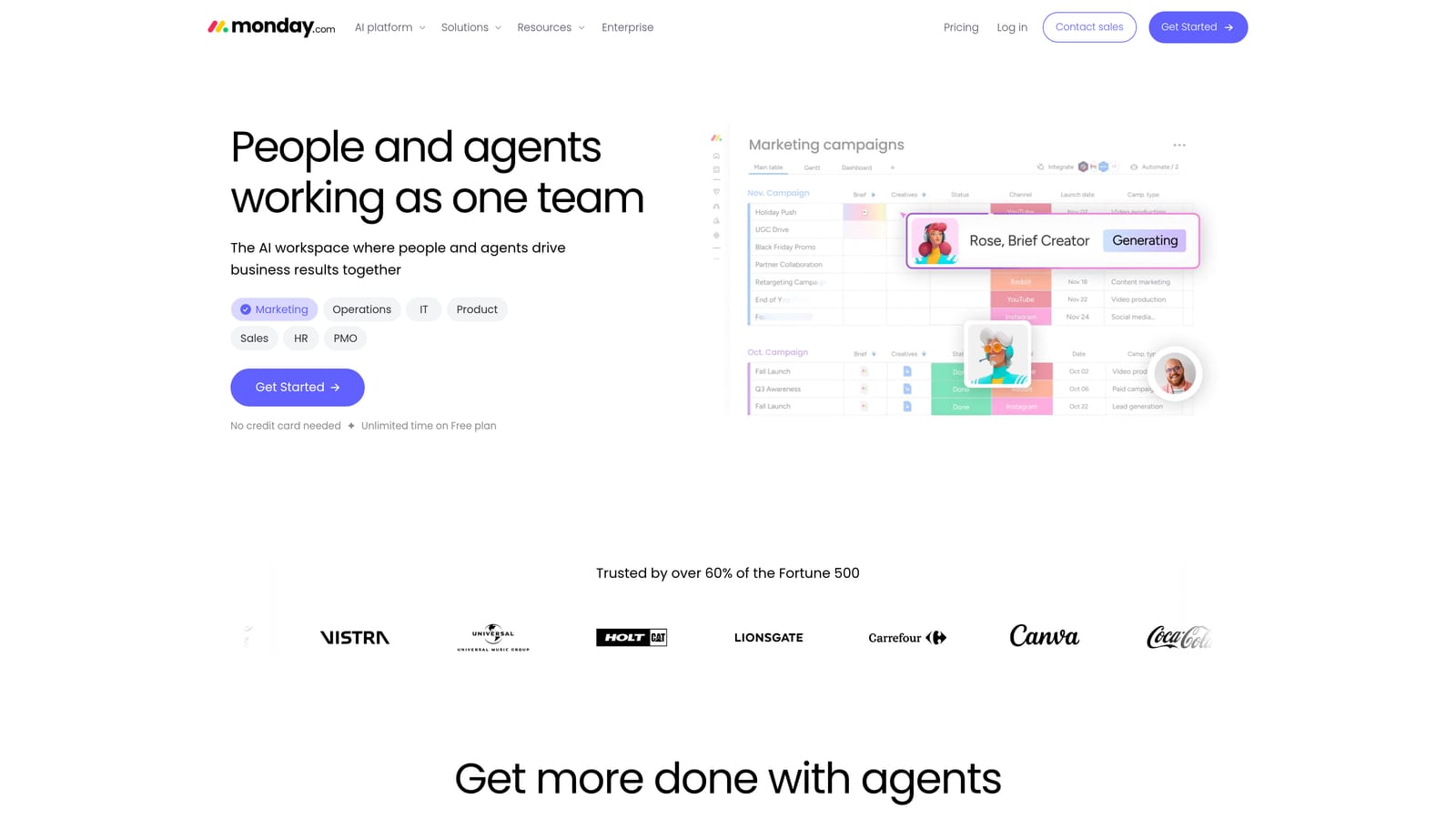
Monday.com is a flexible work management platform widely adopted by agencies for project tracking, team collaboration, and client workflow coordination.
Where This Tool Shines
Monday.com's strength is its adaptability. The board-based structure can be configured to track almost any type of work, from campaign production timelines to client onboarding checklists. Teams that struggle with rigid project management tools often find Monday's flexibility a relief, since you can build the workflow around how your agency actually operates rather than conforming to a predefined structure.
The automation features reduce the manual overhead of keeping boards updated. Status changes, task assignments, and deadline notifications can all be triggered automatically, which keeps projects moving without requiring constant manual intervention from project managers.
Key Features
Customizable Boards: Builds tailored workspaces for different clients, projects, or campaign types with flexible column configurations.
Workflow Automations: Automates repetitive actions like status updates, notifications, and task assignments to reduce manual work.
Multiple View Types: Offers Timeline, Gantt, Kanban, and Calendar views so teams can visualize work in the format that suits them best.
Client Portal and Guest Access: Invites clients or external collaborators into specific boards without giving them access to the full workspace.
Tool Integrations: Connects with commonly used agency tools including Slack, Google Drive, Zoom, and HubSpot.
Best For
Monday.com is well suited for agencies where project delivery and team coordination are the primary operational challenges. It's not a reporting or ad monitoring tool, so agencies focused on paid media performance will need to supplement it with something more specialized.
Pricing
Plans start at approximately $9 per seat per month on the Basic plan, with a free trial available. Higher tiers unlock advanced automations and integrations.
6. Teamwork
Best for: Retainer-based agencies tracking billable hours, project profitability, and client deliverables
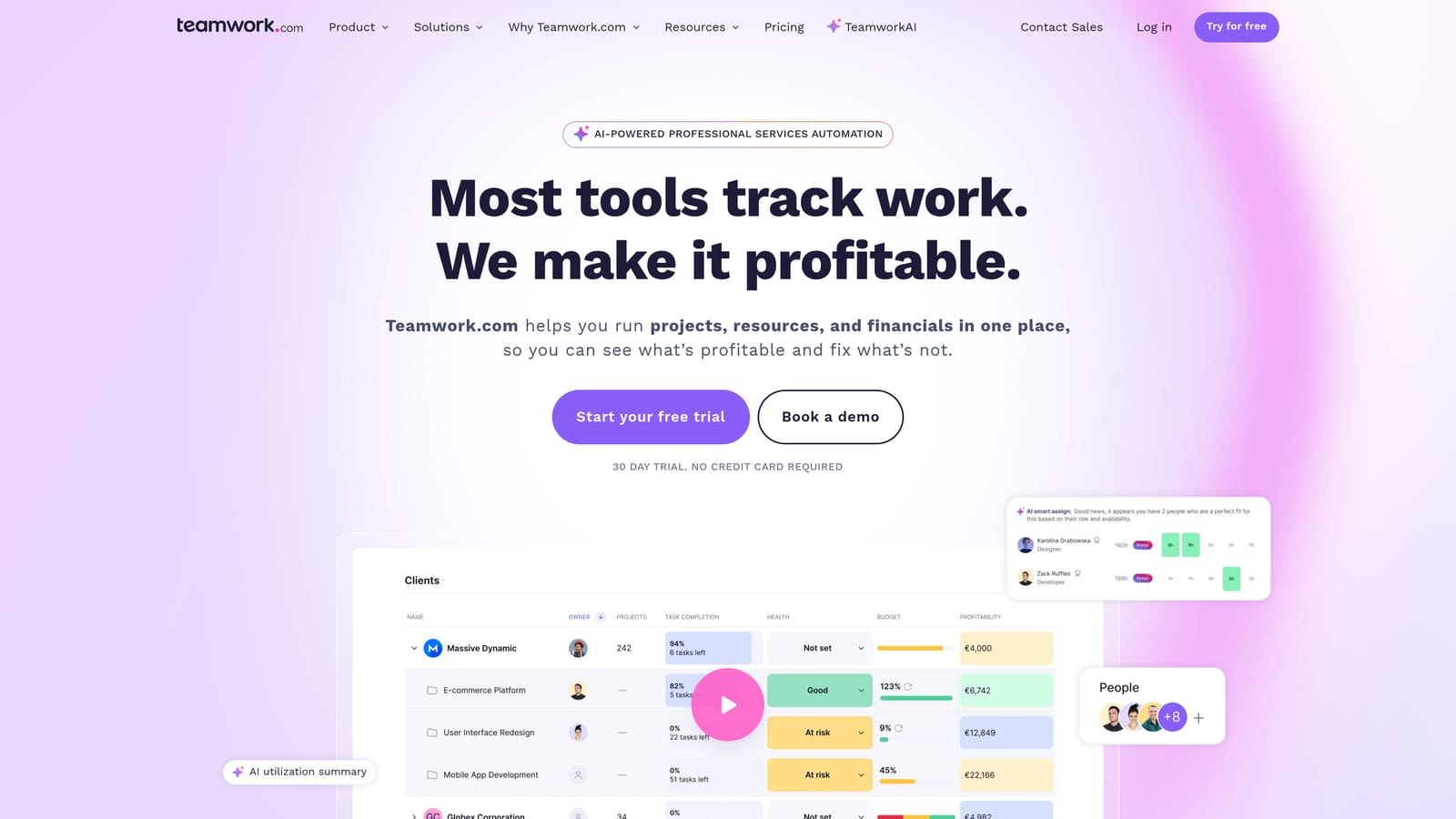
Teamwork is a project management platform built specifically for client services agencies, with native time tracking, invoicing, and profitability reporting built in.
Where This Tool Shines
Teamwork is one of the few project management tools that takes agency economics seriously. Built-in time tracking ties directly to project budgets, so you can see in real time whether a client engagement is profitable or heading toward scope creep. For retainer-based agencies, this visibility is essential for protecting margins.
The client portal feature gives clients a dedicated space to access deliverables, leave feedback, and communicate with the team, reducing the email back-and-forth that often slows down approval cycles. Combined with invoicing and retainer management, Teamwork covers a meaningful portion of the agency operations stack.
Key Features
Time Tracking and Billable Hours: Logs time per task and client with clear separation between billable and non-billable hours.
Project Budgeting and Profitability: Tracks budget consumption against project estimates and surfaces profitability data per client engagement.
Client Portals: Provides clients with a branded space to review deliverables, approve work, and communicate with the agency team.
Invoicing and Retainer Management: Generates invoices from tracked time and manages recurring retainer arrangements within the platform.
Resource Management: Gives visibility into team workload and capacity so managers can allocate resources without overloading individuals.
Best For
Teamwork is the strongest fit for service-based agencies running retainers or hourly engagements where time tracking and profitability visibility are non-negotiable. It's less focused on ad performance or marketing analytics.
Pricing
Paid plans start at approximately $10.99 per user per month. A free plan is available for small teams with limited project needs.
7. Semrush Agency Growth Kit
Best for: SEO-focused agencies already using Semrush that want to add CRM and white-label reporting
Semrush Agency Growth Kit is an agency-focused add-on that layers CRM-style client management, white-label reporting, and lead generation tools on top of the existing Semrush platform.
Where This Tool Shines
If your agency is already embedded in the Semrush ecosystem for SEO research and competitive analysis, the Agency Growth Kit is a natural extension. It adds the client management and reporting infrastructure that Semrush's core product lacks, without requiring you to move your SEO data into a separate reporting platform.
The agency directory listing is an underappreciated feature. Being listed in Semrush's partner directory puts your agency in front of businesses actively searching for marketing help, which adds a lead generation dimension that most dashboard tools don't offer.
Key Features
White-Label Reporting: Delivers branded client reports built directly from Semrush data, covering SEO rankings, traffic, and competitive metrics.
CRM-Style Client Management: Organizes client accounts with task tracking and communication history in a structured client management interface.
Agency Directory Listing: Places your agency in Semrush's partner marketplace, increasing visibility to businesses searching for marketing services.
Lead Generation Tools: Provides tools to attract and convert prospective clients through Semrush's platform ecosystem.
Branded Client Portals: Gives clients a dedicated portal to access their reports and performance data with your agency's branding applied.
Best For
The Agency Growth Kit is a strong fit for SEO agencies or full-service agencies with a strong SEO focus that are already paying for a Semrush subscription. It adds meaningful value without requiring a separate tool investment, but it's not the right choice for agencies whose work is primarily paid media or social.
Pricing
Requires an active Semrush subscription as a prerequisite. Agency Growth Kit pricing varies by tier and is available on the Semrush website alongside current subscription options.
8. Whatagraph
Best for: Agencies where polished, visually compelling client reports are a core deliverable
Whatagraph is a marketing reporting platform focused on creating visually polished, cross-channel reports that agencies can white-label and deliver to clients on a recurring schedule.
Where This Tool Shines
Whatagraph's primary advantage is presentation quality. The report templates are genuinely well-designed, and the drag-and-drop builder makes it easy to create reports that look like they were produced by a dedicated design team. For agencies where the report itself signals professionalism and builds client trust, that visual quality matters.
The cross-channel data blending capability is also notable. Agencies managing clients across paid search, paid social, organic, and email can pull all of that data into a single report view without manually exporting and combining spreadsheets, which saves considerable time each reporting cycle.
Key Features
Drag-and-Drop Report Builder: Creates custom reports using a visual builder with pre-built templates designed for common agency reporting needs.
Cross-Channel Data Blending: Combines data from multiple marketing platforms into unified reports without manual data manipulation.
Automated Report Delivery: Schedules reports to deliver automatically to clients via email or client portal access.
White-Label Branding: Applies your agency's branding across all reports and dashboards so clients see your identity, not Whatagraph's.
Pre-Built Templates: Provides ready-to-use report templates for common use cases including PPC, SEO, social media, and email marketing.
Best For
Whatagraph is best suited for agencies that treat client reporting as a key part of their service offering and want reports that look impressive without requiring significant design effort. It's a reporting-first tool, not a full agency management platform.
Pricing
Pricing is available on request and is typically structured around team size. Contact Whatagraph directly for a current quote based on your agency's needs.
9. Zoho One
Best for: Small-to-mid agencies needing broad business functionality at a single per-user price
Zoho One is a comprehensive business suite offering over 40 integrated apps covering CRM, finance, project management, HR, and analytics under a single subscription.
Where This Tool Shines
Zoho One's value proposition is straightforward: instead of paying separately for a CRM, an invoicing tool, a project management platform, and an analytics suite, you get all of them bundled into one subscription at a price point that undercuts most individual SaaS tools. For small agencies trying to consolidate their tech stack without a large software budget, that's a compelling offer.
The breadth of the suite also means less integration work. Because the CRM, finance, and project tools are all native Zoho products, data flows between them more smoothly than when you're stitching together tools from different vendors. The tradeoff is that individual Zoho apps are generally less specialized than best-in-class standalone tools.
Key Features
40+ Integrated Apps: Covers CRM, invoicing, project management, HR, analytics, email, and more under a single subscription with unified login.
Unified Admin Panel: Manages all users, apps, and permissions from a central admin interface rather than configuring each tool separately.
Custom Dashboards and Reporting: Builds cross-functional dashboards that pull data from multiple Zoho apps into a single reporting view.
CRM and Invoicing Included: Handles both client relationship management and billing within the same platform without requiring third-party integrations.
Strong Value-Per-Dollar: Delivers a wide range of business functionality at a price point that is competitive with purchasing even two or three individual SaaS tools.
Best For
Zoho One is a practical choice for small-to-mid agencies that need broad business coverage and want to minimize the number of separate subscriptions they're managing. Agencies with highly specialized needs in any one area, such as advanced paid media monitoring, may find that individual best-in-class tools serve them better.
Pricing
Starts at approximately $37 per user per month under the all-employees pricing model, which requires all staff to be on the plan.
Which Dashboard Is Right for Your Agency?
The right agency dashboard depends almost entirely on what your biggest operational pain point actually is. There's no single tool that wins across every use case, but there are clear leaders for specific agency types.
If paid media is your core service and you need campaign performance, client billing, and reporting in one place, ClientPlug.io is built for exactly that workflow. The combination of Meta and Google Ads monitoring, payment tracking, and white-label reporting in a single dashboard is purpose-built for ad agencies in a way that general-purpose tools simply aren't.
For agencies where multi-channel reporting is the priority, AgencyAnalytics and Whatagraph are the strongest contenders, with AgencyAnalytics offering broader integration depth and Whatagraph delivering superior visual polish. If your agency is SEO-first and already using Semrush, the Agency Growth Kit is the most efficient way to add client management without adopting a separate platform.
Project-heavy agencies running retainers will find Teamwork's time tracking and profitability features more relevant than most options on this list. Agencies that need flexible workflow management across a large team will gravitate toward Monday.com. And for small agencies that want broad business functionality at a single price, Zoho One offers remarkable coverage for the cost.
The common thread across all of these tools is that consolidation pays off. Every tab you eliminate, every manual export you automate, and every overdue invoice that gets flagged automatically is time and money returned to your agency. Start with the tool that solves your most pressing problem today, and build from there.
If paid media management is at the center of your agency's work, Learn more about our services and see how ClientPlug brings your ad performance, client payments, and reporting into a single dashboard built for agencies like yours.