Running a digital marketing agency means juggling client accounts, ad campaigns, invoices, and reporting — often across a dozen different tabs. The right agency management software brings all of that under one roof, but many platforms charge enterprise prices that squeeze smaller agencies and freelancers right out of the conversation.
The good news: there are genuinely capable, budget-friendly options that don't force you to choose between features and affordability. The tools below were evaluated on pricing transparency, core feature depth, ease of use, and how well they serve digital marketing agencies specifically — including those managing Meta and Google Ads for clients.
Whether you're a solo freelancer or running a team of ten, there's a tool here that fits your workflow and your budget.
1. ClientPlug.io
Best for: Digital marketing agencies and freelancers managing Meta Ads, Google Ads, and client billing in one place.
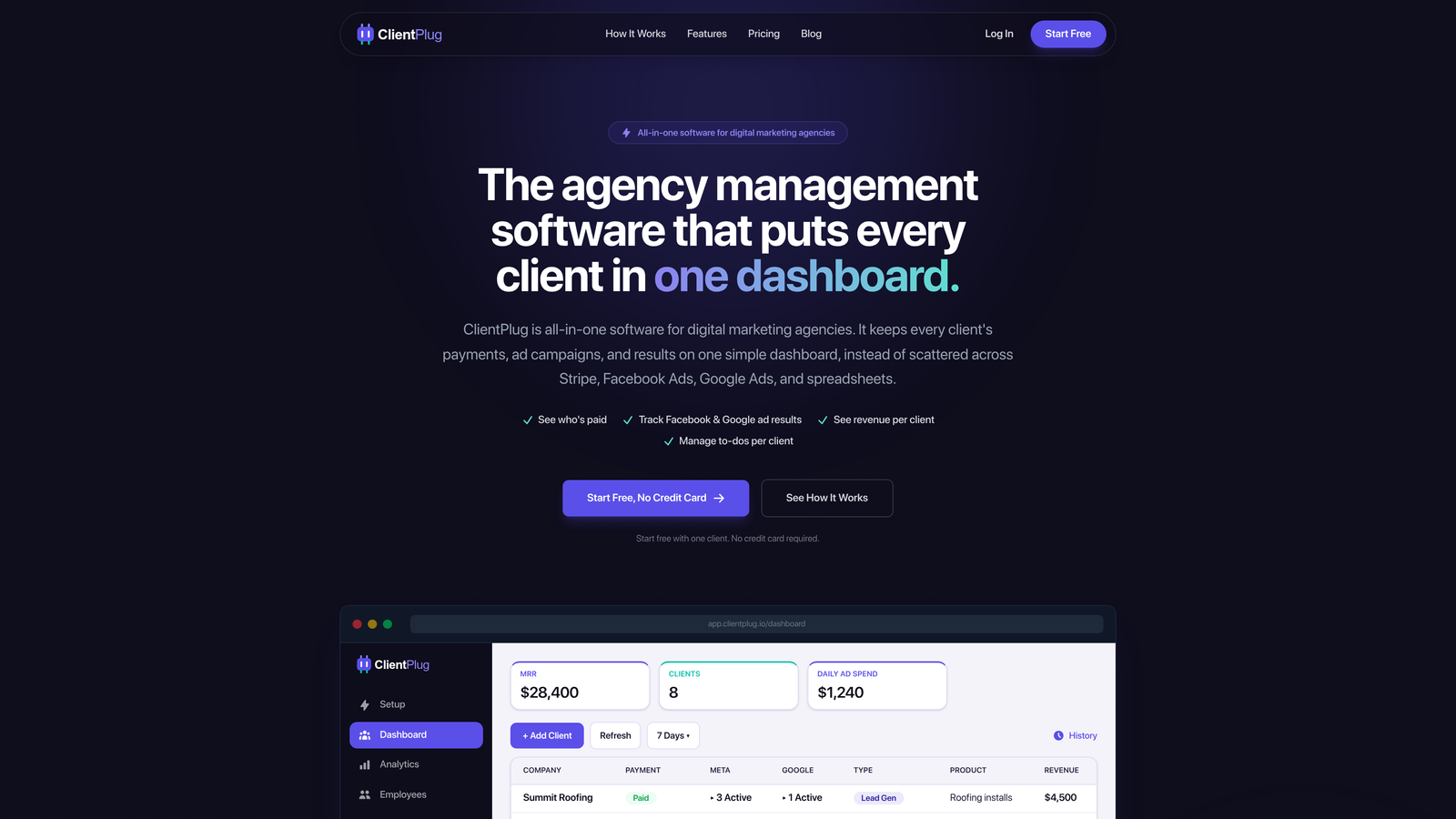
ClientPlug.io is an all-in-one client organizer built specifically for digital marketing agencies and freelancers — not a repurposed generic CRM.
Where This Tool Shines
Most agency tools are built for general service businesses and then retrofitted for marketing teams. ClientPlug takes the opposite approach: it's designed from the ground up for agencies running paid media. The native syncing of Meta Ads and Google Ads performance data alongside client payment tracking is what sets it apart from everything else on this list.
Instead of toggling between your ads dashboard, your billing tool, and your CRM, ClientPlug pulls it all into a single view. For agencies where ad performance and client invoicing are tightly connected, that's a meaningful operational advantage — not just a convenience feature.
Key Features
Native Meta Ads and Google Ads Syncing: Campaign performance data flows directly into your dashboard without manual exports or third-party connectors.
Client Payment Tracking: Monitor billing status and payment history for every client account in one place.
Unified Client Dashboard: All client accounts, ad data, and billing information live in a single organized view.
Agency-First Design: Built specifically for digital marketing workflows, not adapted from a generic project management or CRM template.
Minimal Setup: Client data starts flowing quickly, without weeks of configuration or onboarding overhead.
Best For
ClientPlug is the strongest fit for freelancers and small-to-mid-size agencies running paid media campaigns for clients. If your daily workflow involves checking ad performance and tracking client payments, this tool was built for exactly that combination. Agencies without a paid media focus may find other tools on this list better suited to their needs.
Pricing
Affordable plans designed for freelancers and growing agencies. Visit clientplug.io for current pricing details.
2. HoneyBook
Best for: Freelancers and small creative agencies focused on client relationships, proposals, and invoicing.
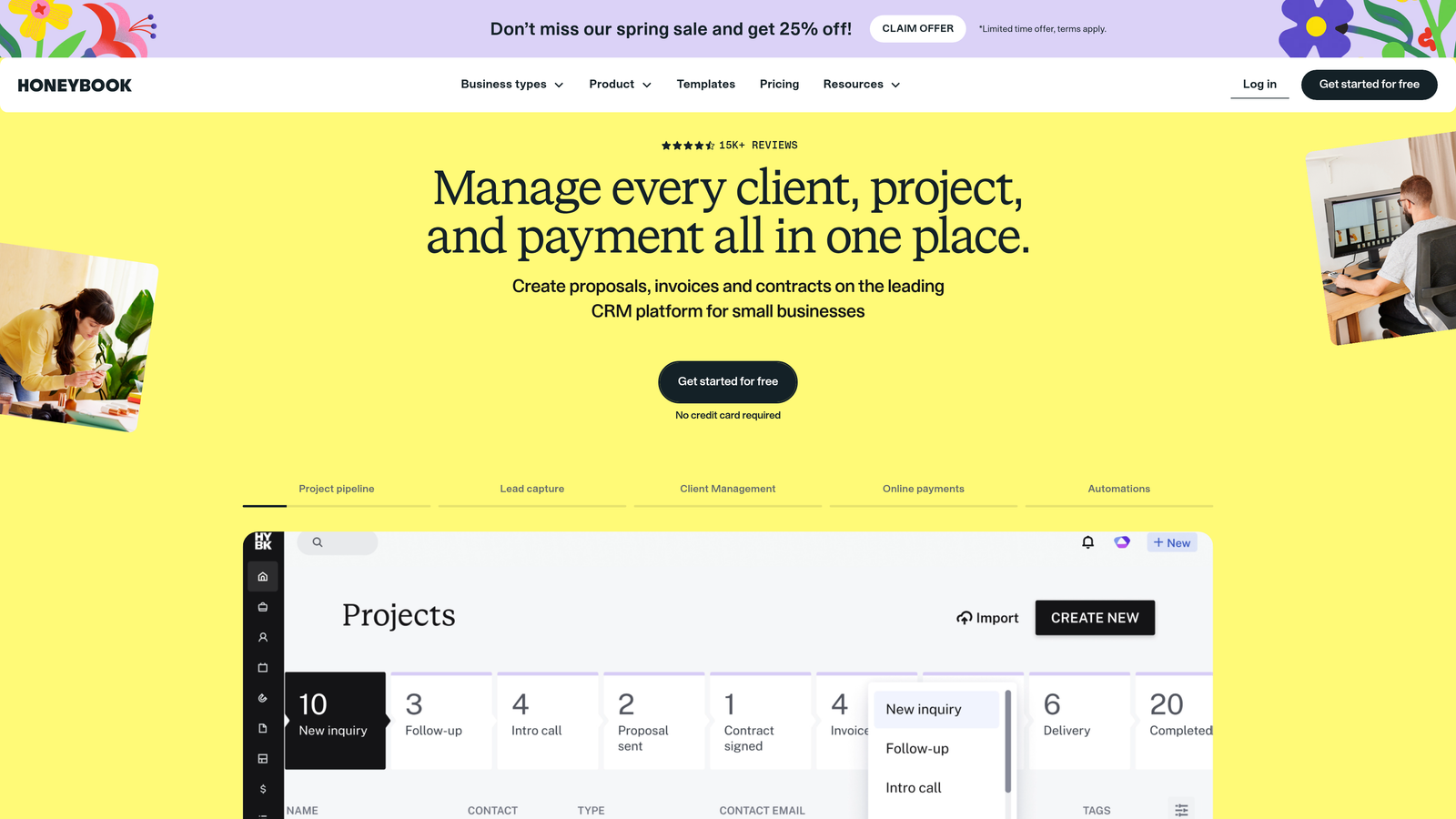
HoneyBook is a client relationship and business management platform popular with freelancers and small agencies managing the full client lifecycle.
Where This Tool Shines
HoneyBook excels at the client-facing side of agency operations. From the moment a prospect reaches out, you can send a proposal, collect a signed contract, schedule a kickoff call, and issue an invoice — all within the same platform. The experience feels polished and professional, which matters when you're trying to win and retain clients.
It's particularly well-suited for creative and marketing agencies where the client relationship is front and center. The workflow automation for onboarding alone can save hours each week for busy freelancers.
Key Features
Proposals and Contracts: Create, send, and collect e-signatures on branded proposals and contracts.
Invoicing and Payments: Issue invoices and collect payments directly through the platform.
Client Communication Hub: Centralize all client messages and project updates in one thread.
Scheduling: Built-in meeting booking removes the back-and-forth of calendar coordination.
Workflow Automation: Automate repetitive onboarding steps so nothing falls through the cracks.
Best For
HoneyBook is ideal for solo freelancers and small agencies whose primary pain point is client relationship management rather than ad performance reporting. If you're spending too much time on proposals, follow-ups, and invoice chasing, this tool addresses those problems directly.
Pricing
Paid plans available with occasional promotional rates. Check honeybook.com for current pricing.
3. Dubsado
Best for: Service-based agencies that want highly customizable client workflows and automated onboarding pipelines.
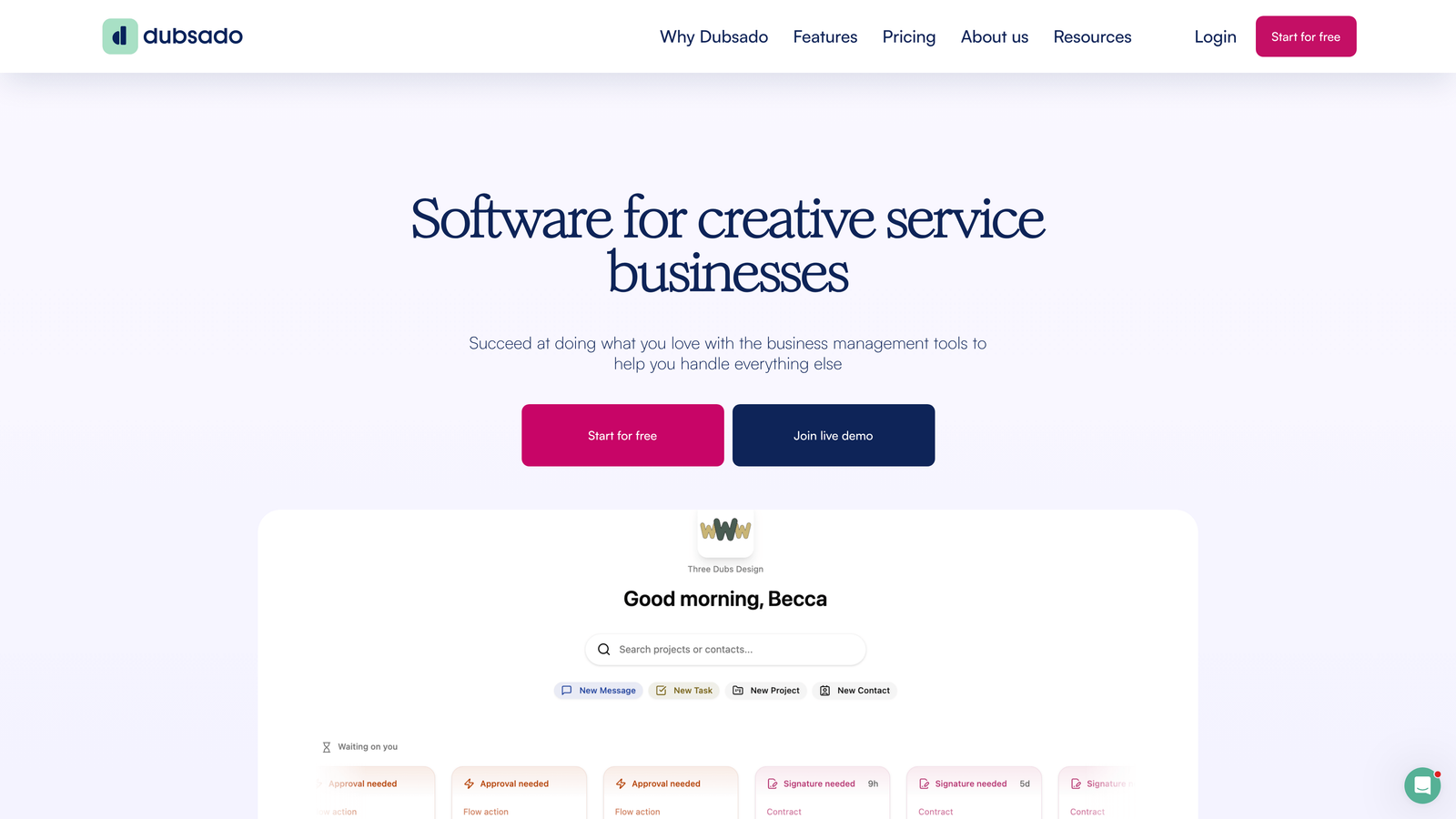
Dubsado is a workflow automation and client management platform built for service businesses that want deep control over their client experience.
Where This Tool Shines
Dubsado's biggest strength is customization. You can build branded client portals, design custom intake forms, and create automated pipelines that trigger specific actions based on where a client is in your process. For agencies with a well-defined onboarding sequence, this level of control is genuinely powerful.
The flat-rate pricing model is also worth noting. Unlike per-seat tools that get expensive as your team grows, Dubsado's predictable cost structure makes budgeting straightforward for small agencies.
Key Features
Custom Client Portals: Give each client a branded portal where they can view documents, invoices, and project updates.
Automated Workflow Pipelines: Set up trigger-based automations that move clients through your process without manual intervention.
Contract and Proposal Management: Build and send branded proposals with e-signature collection built in.
Invoicing and Payment Scheduling: Set up payment plans and automated invoice reminders.
Lead Capture and CRM: Capture leads through embedded forms and track them through your pipeline.
Best For
Dubsado suits agencies and freelancers who invest heavily in client experience and want their operations to reflect that. It rewards the time you put into setup with a highly automated, professional client journey. Less suited for teams that need deep project management or ad reporting capabilities.
Pricing
Flat-rate pricing after a free trial period. Check dubsado.com for current plan details.
4. Monday.com
Best for: Teams that need visual project tracking with agency-specific templates and strong collaboration features.
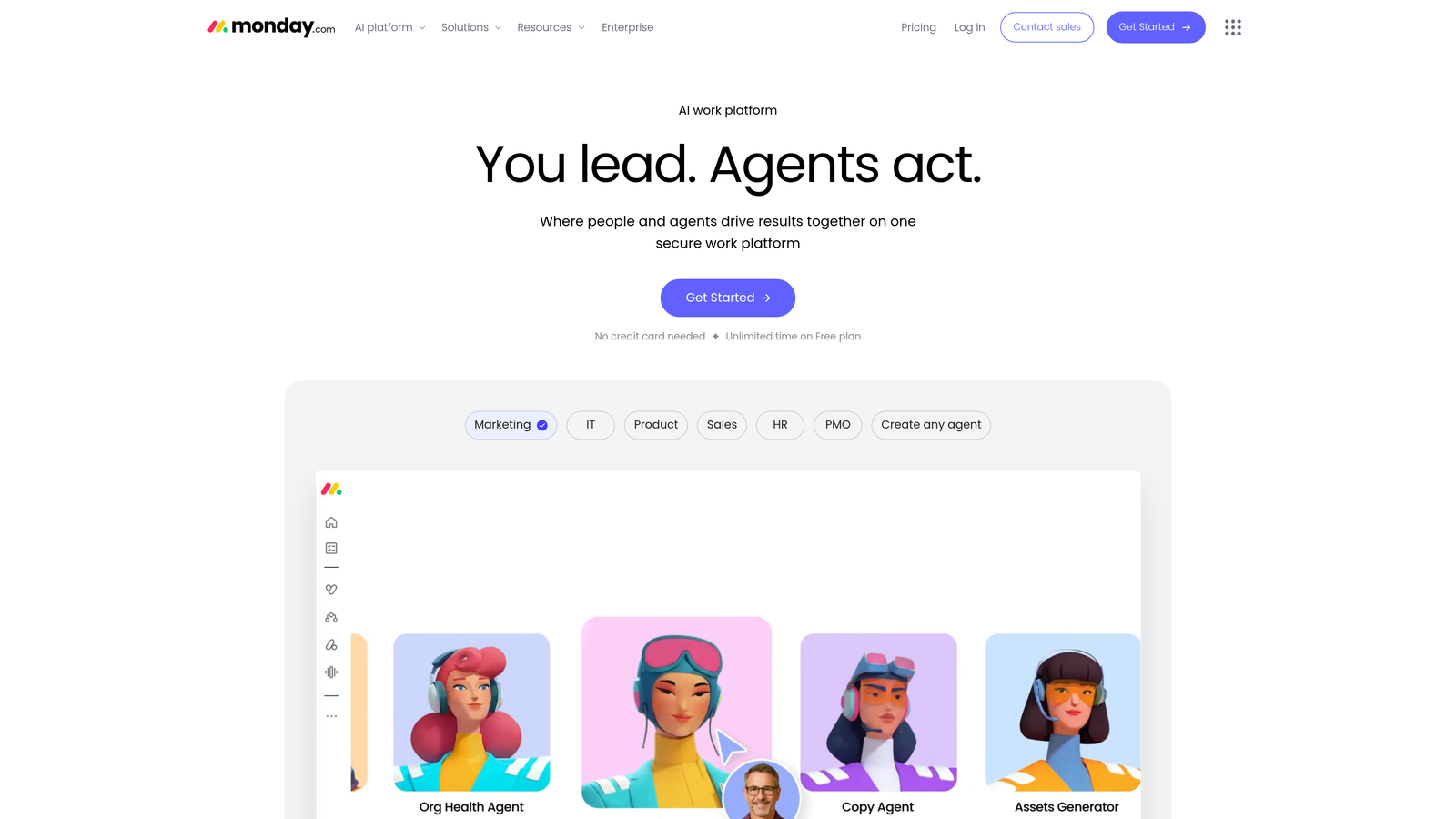
Monday.com is a visual project management platform used by agencies to manage campaigns, client deliverables, and team workflows.
Where This Tool Shines
Monday.com's visual interface makes it easy to see the status of every project at a glance. The board, timeline, and Gantt views give teams flexibility to track work in whatever format makes sense for their workflow. For agencies juggling multiple client campaigns simultaneously, that visibility is hard to overstate.
The library of agency and marketing-specific templates also shortens the setup process considerably. You're not starting from a blank slate — you're adapting a structure that already reflects how marketing teams work.
Key Features
Multiple Project Views: Switch between board, timeline, Gantt, and calendar views depending on what you need to see.
Agency Templates: Pre-built templates for campaign management, client onboarding, and content calendars.
Team Collaboration: Assign tasks, tag teammates, and leave comments directly on work items.
Workflow Automation: Automate status updates, notifications, and task assignments based on triggers.
Tool Integrations: Connects with common marketing and communication tools to reduce context switching.
Best For
Monday.com works well for agencies with a team of three or more where project visibility and task coordination are the primary challenges. Per-seat pricing means costs scale with headcount, so it's worth evaluating total cost as your team grows.
Pricing
Per-seat pricing with a free trial available. Check monday.com for current rates by plan tier.
5. ClickUp
Best for: Budget-conscious agencies that want a broad feature set, including a generous free tier to start.
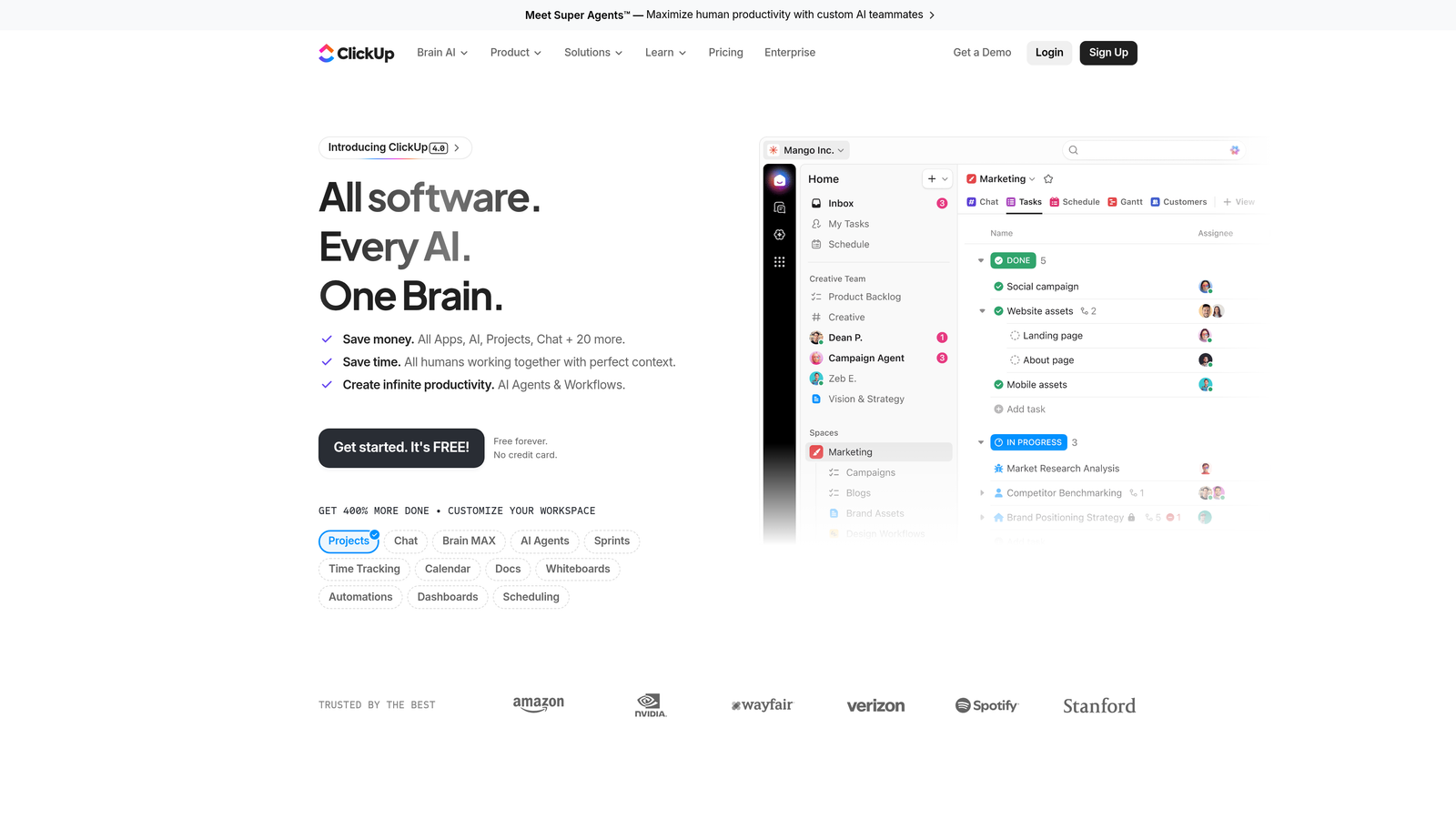
ClickUp is a feature-rich project management and productivity platform that covers tasks, documentation, time tracking, and goal management in one tool.
Where This Tool Shines
ClickUp packs an impressive amount of functionality into its free tier, which makes it a natural starting point for freelancers and early-stage agencies watching their overhead. As your needs grow, paid upgrades unlock more automation, reporting, and storage without a dramatic jump in cost.
The breadth of features is both a strength and a caveat. ClickUp can do a lot, which means initial setup requires some thought. Agencies that invest time in configuring their workspace tend to get significantly more value out of it than those who use it out of the box without customization.
Key Features
Flexible Task Management: Tasks, subtasks, and dependencies with multiple view options including list, board, and timeline.
Built-In Time Tracking: Log time directly against tasks without a separate tool.
Docs and Knowledge Base: Create internal documentation and SOPs alongside your project work.
Goal and Milestone Tracking: Set team or client-facing goals and track progress over time.
Generous Free Tier: Core functionality available at no cost, with competitive paid upgrades.
Best For
ClickUp is an excellent fit for agencies that want one tool to handle project management, documentation, and time tracking without paying for three separate subscriptions. It's especially strong for teams willing to spend time on initial setup to unlock its full potential.
Pricing
Free tier available; paid plans start at competitive per-seat rates. Check clickup.com for current plan pricing.
6. Bonsai Agency
Best for: Freelancers and small agencies that need a purpose-built tool covering the full client lifecycle from proposal to payment.
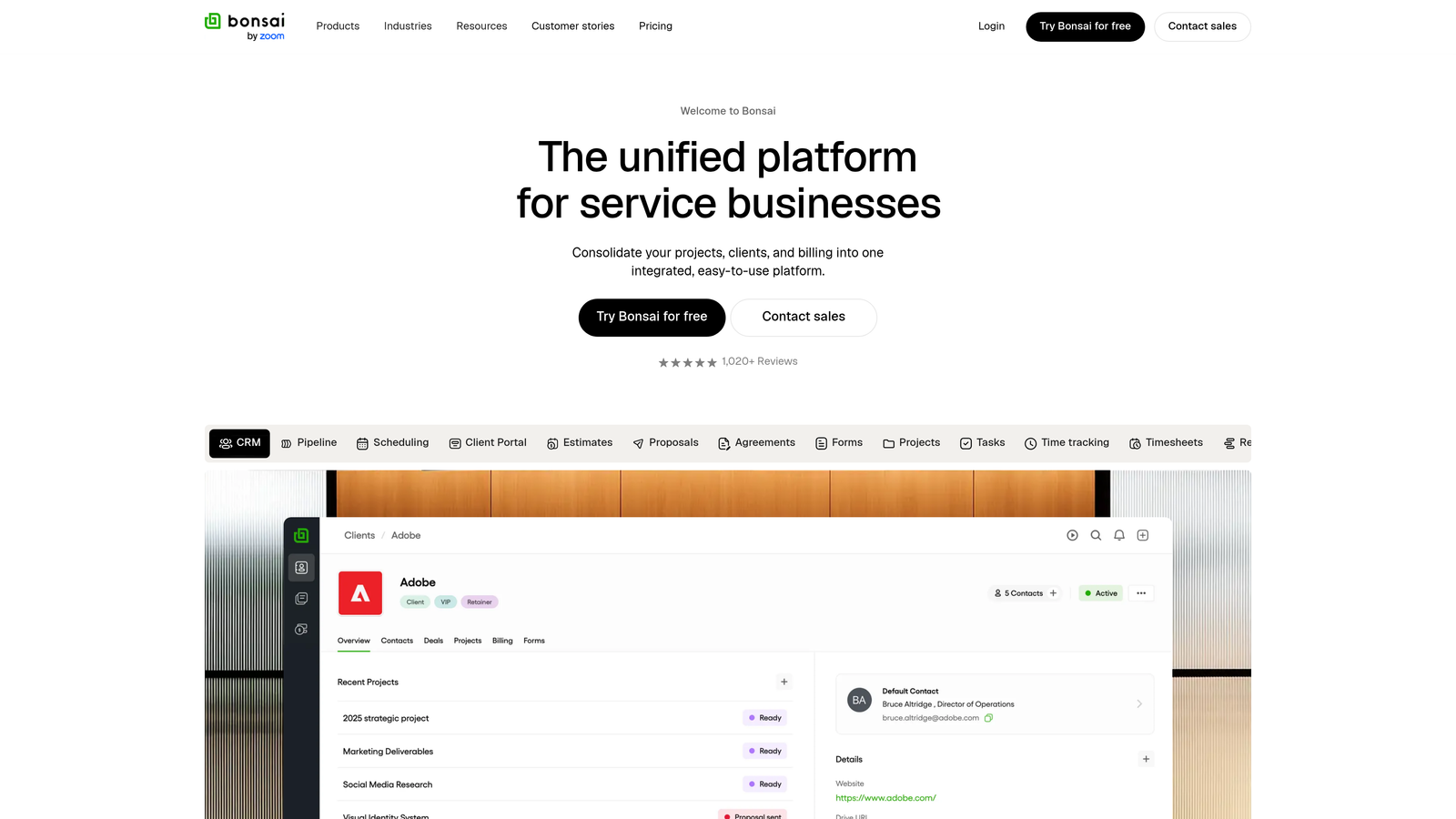
Bonsai Agency is a purpose-built management tool designed specifically for agencies and freelancers, covering everything from initial proposals through ongoing project billing.
Where This Tool Shines
Bonsai sits in a sweet spot between the client-management focus of tools like HoneyBook and the project-management depth of ClickUp. It handles proposals, contracts, time tracking, and invoicing in a cohesive workflow that feels designed for how agencies actually operate — not how a generic SaaS company thinks they operate.
The time tracking integration with invoicing is particularly useful. You log hours against a project, and Bonsai can translate that directly into a billable invoice, reducing the administrative friction that often delays getting paid.
Key Features
Proposals and Contract Templates: Send professional proposals and contracts with e-signature collection built in.
Time Tracking Tied to Projects: Log billable hours directly against client projects for accurate invoicing.
Invoicing and Payment Collection: Generate invoices from tracked time and collect payment through the platform.
Client Portal Access: Give clients a dedicated space to view documents and project status.
Basic Project Management: Task and milestone tracking to keep client work organized.
Best For
Bonsai is a strong choice for freelancers and small agency teams where billing accuracy and client professionalism are top priorities. It's particularly well-suited for project-based or retainer-based engagements where time tracking feeds directly into invoicing.
Pricing
Subscription-based pricing for agency plans. Check hellobonsai.com for current pricing tiers.
7. Plutio
Best for: Solo operators and small teams who want all-in-one functionality without per-seat pricing eating into their margins.
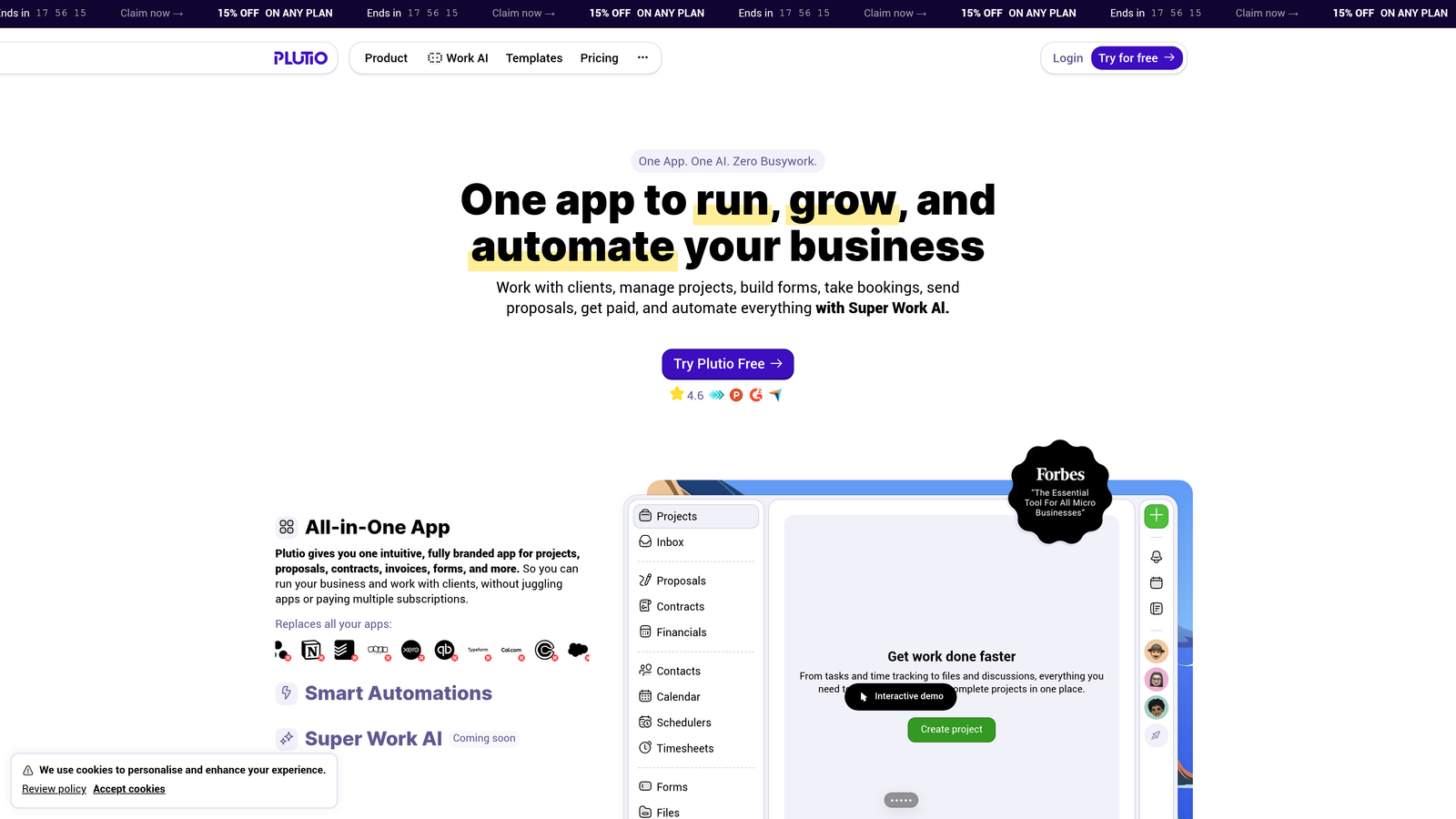
Plutio is an all-in-one business management tool for freelancers and small agencies, notable for its flat-rate pricing model that doesn't penalize you for adding team members.
Where This Tool Shines
Plutio's flat-rate pricing is its most distinctive feature. Most tools on this list charge per seat, which means your monthly cost grows as your team does. Plutio charges a flat monthly rate regardless of how many users you add, making it particularly cost-effective for small teams and solo operators who occasionally bring in contractors or collaborators.
Beyond pricing, Plutio covers the core operational needs of a small agency: project management, proposals, contracts, invoicing, and client portals — all in one place. It's less well-known than Monday or ClickUp, but that underdog status doesn't reflect its capability.
Key Features
Flat-Rate Pricing: One monthly price regardless of team size — no per-seat surprises as you grow.
Project and Task Management: Organize client work with tasks, milestones, and project views.
Proposals, Contracts, and Invoicing: Handle the full client agreement and billing workflow in one tool.
Client Portals: Give clients a branded space to view project progress and shared documents.
Time Tracking: Log hours against projects for accurate billing and internal reporting.
Best For
Plutio is ideal for freelancers and small agency teams where per-seat pricing from other tools has become a budget concern. If you're managing a handful of clients with a small, flexible team, the flat-rate model can represent meaningful savings over time.
Pricing
Flat monthly rate regardless of team size. Check plutio.com for current pricing.
8. Zoho Projects
Best for: Agencies that want robust project management features at one of the lowest per-user price points available.
Zoho Projects is a full-featured project management platform from the Zoho ecosystem, offering strong depth at a notably accessible price.
Where This Tool Shines
Zoho Projects punches above its price point. Gantt charts, task dependencies, resource management, and timesheets are all available without the premium pricing that similar feature sets command on other platforms. For agencies that need serious project management infrastructure without a serious budget, it's worth a close look.
The integration with the broader Zoho suite is also a meaningful advantage for agencies already using Zoho CRM, Zoho Books, or other Zoho products. The ecosystem cohesion reduces the friction of connecting tools that were never designed to work together.
Key Features
Gantt Charts and Milestone Tracking: Visualize project timelines and track key milestones across client engagements.
Task Dependencies and Resource Management: Map out dependencies and allocate team resources across projects.
Time Tracking and Timesheets: Log and report on billable hours with built-in timesheet functionality.
Zoho Ecosystem Integration: Connects natively with Zoho CRM, Zoho Books, and other Zoho apps.
Issue Tracking: Built-in issue and bug tracking for agencies managing development or technical deliverables.
Best For
Zoho Projects is the right call for agencies that need structured, feature-rich project management at a low per-user cost — especially those already in the Zoho ecosystem. The learning curve is steeper than some alternatives, so it rewards teams willing to invest in setup.
Pricing
Low per-user pricing with a free tier available. Check zoho.com/projects for current plan details.
9. Notion
Best for: Agencies that want a highly flexible, customizable workspace they can shape around their exact workflow.
Notion is an all-in-one workspace that agencies use as a customizable CRM, project tracker, client portal, and documentation hub — built to fit your workflow rather than a preset one.
Where This Tool Shines
Notion doesn't tell you how to work. It gives you a set of powerful building blocks — databases, linked views, templates, shared pages — and lets you assemble them into whatever system makes sense for your agency. That flexibility is genuinely rare, and it's why so many agencies have adopted Notion as their operational backbone even though it wasn't built exclusively for them.
The free tier is among the most generous on this list, and paid plans remain affordable relative to purpose-built agency tools. For agencies willing to invest time in building their workspace, the payoff is a system that fits their process precisely rather than one they have to work around.
Key Features
Fully Customizable Databases: Build CRMs, project trackers, content calendars, and client rosters using flexible database views.
Multiple Views: Switch between table, board, calendar, gallery, and timeline views on the same database.
Client-Facing Shared Pages: Share specific pages or workspaces with clients for transparent project collaboration.
Template Library: Access agency-specific templates from the Notion community to accelerate setup.
Generous Free Tier: Core functionality available at no cost, with affordable paid upgrades for teams.
Best For
Notion suits agencies with a systems-minded operator who enjoys building and optimizing workflows. It's less ideal for teams that want a ready-to-go solution out of the box. If you're comfortable investing setup time for a tool that fits your process perfectly, Notion delivers exceptional value per dollar.
Pricing
Free tier available; paid plans are among the most affordable on this list. Check notion.so for current pricing.
Which Tool Is Right for Your Agency?
The honest answer is that the best affordable agency management software is the one your team will actually use every day. A powerful tool that sits half-configured is worth less than a simpler one your whole team adopts immediately.
That said, here's a quick way to think about matching tool to workflow:
For freelancers and solo operators managing paid media clients: ClientPlug.io is the most purpose-built option on this list. The native Meta Ads and Google Ads syncing alongside client payment tracking solves a problem that no other tool here addresses directly. If your work revolves around ad performance and client billing, it's the natural starting point.
For agencies where client experience and proposals are the priority: HoneyBook, Dubsado, and Bonsai all shine in this area. HoneyBook is the most polished for client-facing workflows; Dubsado offers the deepest automation; Bonsai ties time tracking to billing more cleanly than either.
For teams that need structured project management: Monday.com and ClickUp are the strongest contenders. Monday.com is easier to adopt quickly; ClickUp offers more depth and a stronger free tier. Zoho Projects is worth considering if you need serious feature depth at the lowest possible per-user cost.
For agencies that want maximum flexibility on a tight budget: Plutio's flat-rate model makes it uniquely cost-effective for small teams. Notion's free tier and low paid plan pricing make it an excellent foundation for agencies willing to build their own system.
If you're running a digital marketing agency and want a tool designed specifically for how you work — tracking ad performance, managing client accounts, and staying on top of payments — Learn more about our services and see how ClientPlug.io brings it all together in one dashboard built for agencies like yours.